3D Printed Christmas Ornaments: Ideas, Print Times and How to Print Ones That Sell
Ornaments are the quickest Christmas print there is: flat, no supports, under an hour each. Here are real times, the colors you can get without an AMS, and how to add a name.
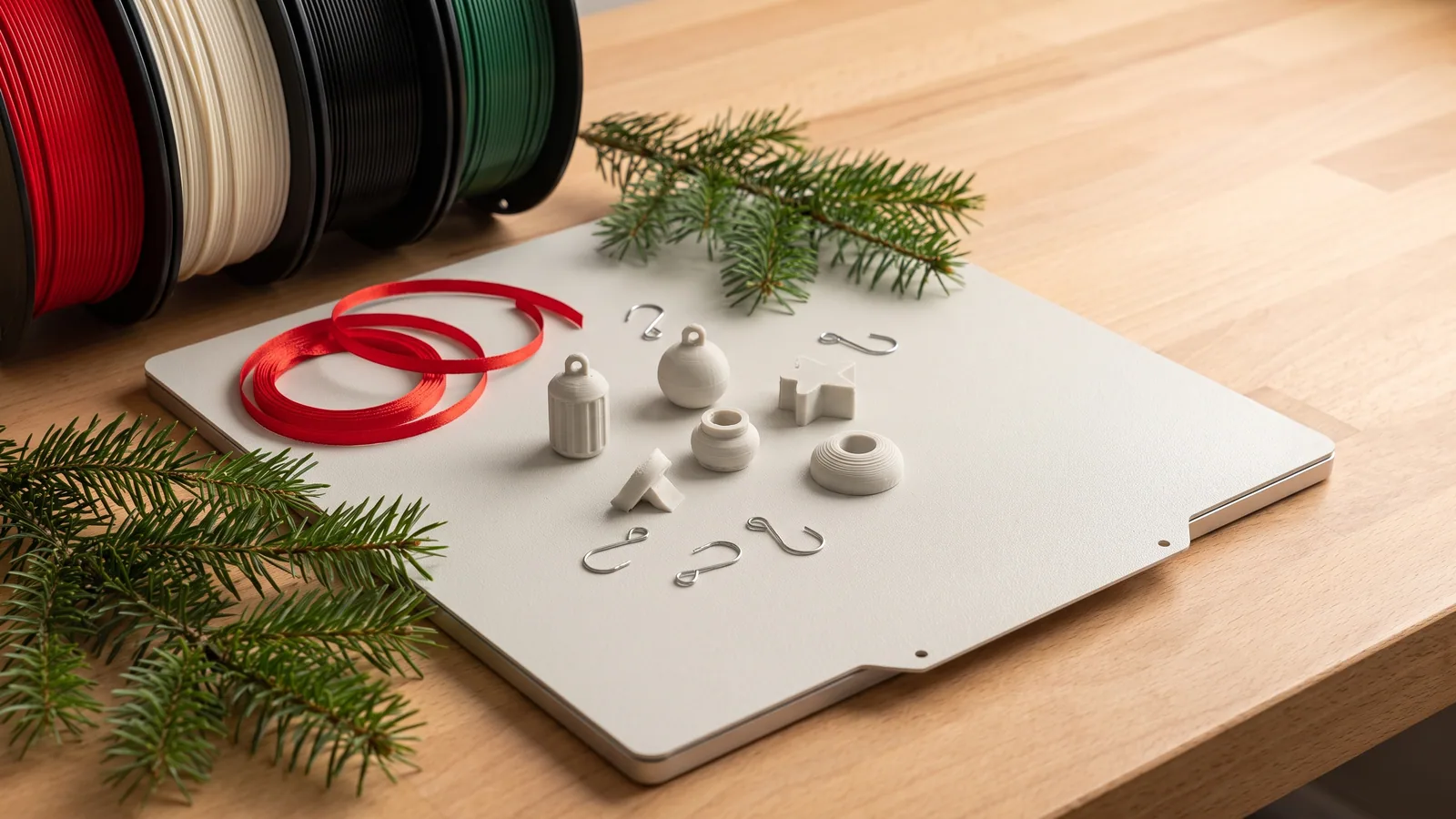
Ornaments are the quickest Christmas print there is. They're flat, they need no supports, a single one finishes in under an hour, and a whole tree's worth fits on one build plate. They're also the easiest Christmas print to give away or sell, because nobody has ever owned too many ornaments. This guide covers which ornaments are worth printing, how long they really take, how to get several colors without a multicolor system, how to add a name, and how to hang them so they last.
Every number below comes from our own designs, sliced in Bambu Studio for a Bambu Lab P2S with ordinary PLA. All of them are live on our designs page, and each downloads as a print-ready 3MF project (plate, colors and settings already saved) plus STL files for any other slicer. If the word "3MF" is new, our plain-English guide to 3MF files explains what you're opening.
What are the best Christmas ornaments to 3D print?
The ornaments that work best on a home printer are flat, layered ornaments: a solid black backing with the colors raised a fraction of a millimetre on top, like a stained-glass outline. They print lying down, so there's nothing to hold up and nothing to glue. They look sharp from across a room, and they're thin and light enough to hang from a thin branch.
Within that style, four kinds of ornament earn their place:
- Classic shapes. Snowflakes, candy canes, gingerbread men, trees and snowmen. Everyone recognises them, and they suit any tree. Our Christmas Ornament Set has five of these.
- A name ornament. A blank banner you type a name onto in the slicer before printing. It's the one thing a store-bought ornament can't give you, and it turns a few cents of plastic into a gift. The sixth ornament in the Christmas Ornament Set is a name banner.
- Characters. Small figures with faces: a reindeer, a penguin, a cardinal on holly, a nutcracker, a gnome and a polar bear in our Christmas Character Ornaments. These need four colors each to look their best (more on that below).
- Candy. Red and white swirls are the easiest Christmas look to print well, because they only need a few colors and each color sits in its own layers. Our Peppermint Candy Ornaments are a round swirl, a wrapped candy, a candy cane with holly, a star, a heart and a bell.
Round, fully 3D bauble ornaments are possible too, but they take far longer, usually need supports, and the curve hides the detail. For a tree, flat wins. If you want something round, our Ornament Bulb Clicker is a 50 mm Christmas bauble with a gold cap that clicks like a button. It's a keychain rather than a tree ornament, and at about 7 hours 16 minutes it's a proper project, not a quick one.
How long does it take to 3D print a Christmas ornament?
Between about 30 minutes and an hour each, and a lot less per ornament when you print a full plate at once. These are the Bambu Studio estimates for our three ornament sets, six ornaments per set, every ornament about 6 to 7 cm tall and 4 mm thick:
| Design | One ornament | All six on one plate | Filament, all six | Needs an AMS? |
|---|---|---|---|---|
| Christmas Ornament Set | 29 to 58 min | 2 h 22 min (one color) | 31 g | Only for the full-color snowman and tree |
| Christmas Character Ornaments | 47 min to 1 h 10 min | 2 h 31 min (one color) | 33 g | Yes, for full color |
| Peppermint Candy Ornaments | 34 to 51 min | 3 h 17 min (four colors) | 45 g | No |
Here's our number for the whole tree: all three sets, 18 ornaments, print in 8 hours 10 minutes on three plates and use 109 g of filament. That's about 6 g and 27 minutes per ornament. A standard 1 kg spool holds enough plastic for more than 150 of them. At $20 a kilo (an example price, use your own) the plastic in one ornament costs about 12 cents.
Times for single ornaments are longer per piece because they include the color changes and the small tower the printer uses to clean its nozzle between colors. Your printer will differ a little from ours, and the estimates in the projects are a guide, not a promise.
Do you need an AMS for multicolor ornaments?
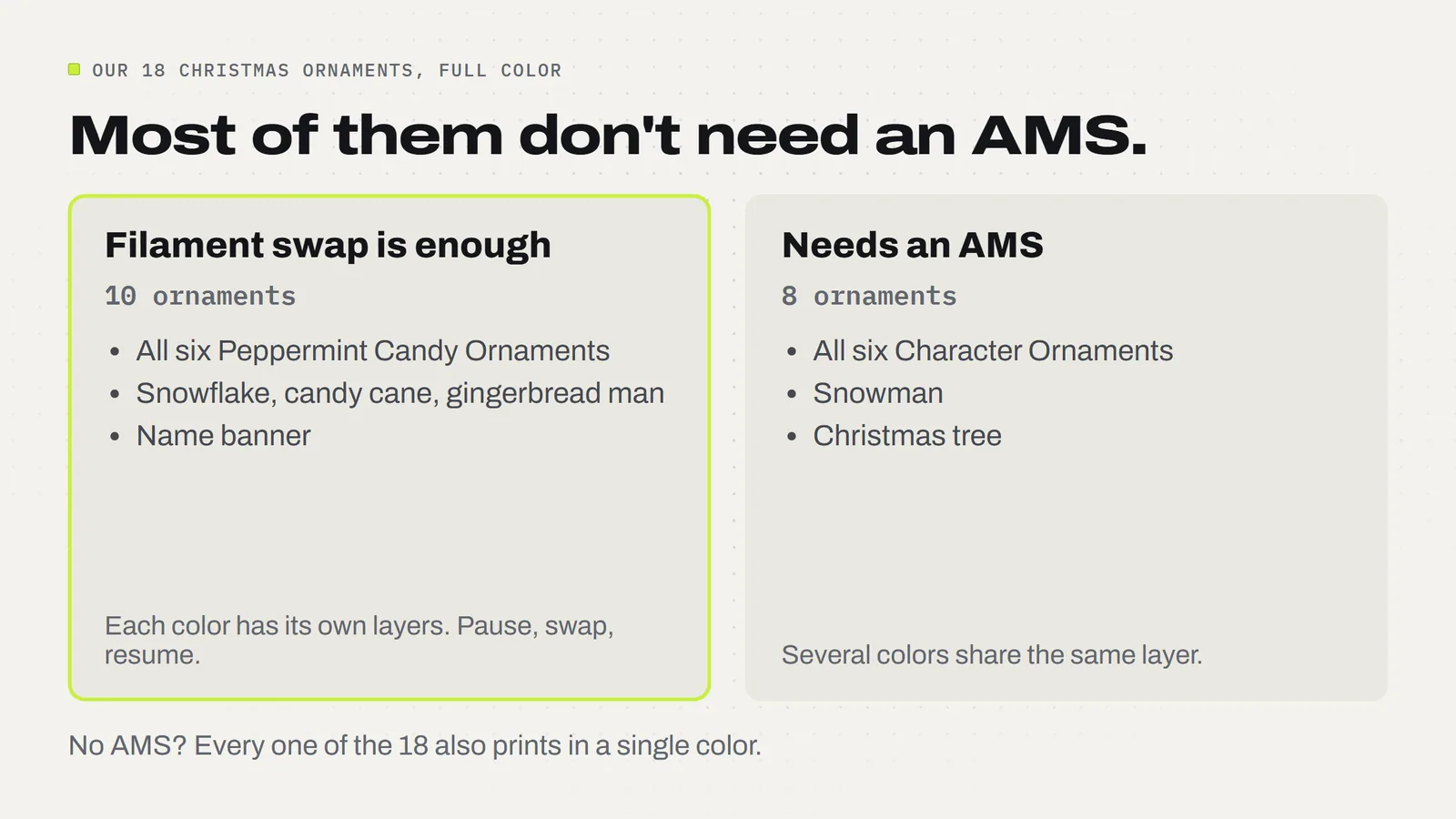
Not always. An AMS (Bambu Lab's automatic material system, a box that holds several spools and switches between them mid-print) is only essential when two colors sit side by side in the same layer. If each color has its own layers, one stacked on the next, you can do it by hand: the printer pauses, you swap the filament, and it carries on.
Flat ornaments are often built exactly that way. On our Peppermint Candy Ornaments the black backing is the first 12 layers, the ivory candy is the next five, and the red swirls are the three on top, with a final green band for the holly and the bow. So the whole set gets its full look from a single-spool printer with two or three filament changes.
Here's how a layer swap works in Bambu Studio, in plain steps:
- Open the ornament's STL (not the color project) and slice it with 0.20 mm layers.
- In the preview, drag the layer slider on the right up to the first layer of the new color. The guide in each download lists the exact layer numbers.
- Right-click the slider handle and add a filament change (or a pause) at that layer.
- Check the preview shows the new color starting on that layer, not one layer late.
- Print. When the printer stops, unload the old filament, load the new one, let it purge away from the ornament, and resume.
The characters are the exception. A penguin's orange beak, ivory belly and red scarf all sit at the same height, so a layer swap can't separate them. With an AMS the project changes colors by itself; Bambu Studio matches the project's colors to the spools you've loaded when you send the print (Bambu Lab Wiki). Without one, print them in a single color. A black or gold character ornament still looks deliberate on a tree.
How do you print a whole set of ornaments faster?
Print them together. Each set includes an "all six" plate with every ornament laid out on one bed, and the savings are real, because the printer warms up once and changes color once per layer instead of once per ornament.
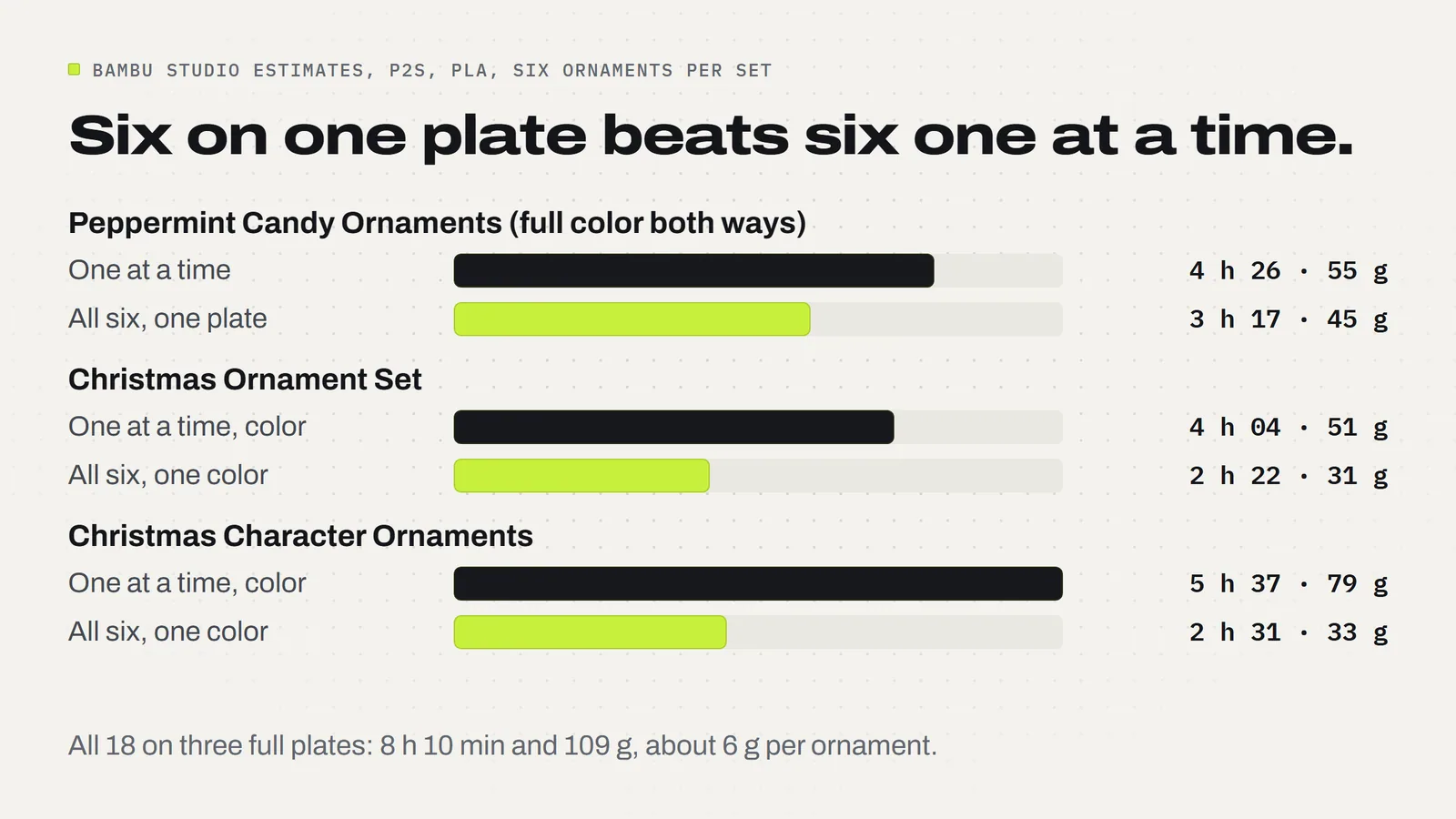
The fairest comparison is the Peppermint set, because both ways print in full color. One at a time, the six ornaments add up to 4 hours 26 minutes and 55 g. On one plate, it's 3 hours 17 minutes and 45 g: an hour and nine minutes and 10 g saved, about a fifth of the filament. The other two sets' all-six plates are set up in one color, which is why their savings look bigger.
Two habits make a full plate go well:
- Watch the first layer. Six thin outlines mean lots of small first-layer edges. If one corner lifts, the whole plate is at risk. A clean, grease-free plate fixes most of this.
- Let the plate cool. Flat PLA parts often release by themselves as the plate cools. Lift each ornament by its body, never by the hanging loop.
How do you put a name on a 3D printed ornament?
On our name banner, you type it in the slicer. Bambu Studio has a text tool: open the banner's project, pick the text tool, click the blank ivory panel and type. The guide in the download gives the sizes that print cleanly: a plain bold font, letters 8 to 10 mm tall, kept inside a safe area of about 54 × 13 mm in the middle of the panel. Eight letters fit comfortably at 8 mm.
The letters sit raised on top of the panel, so on a single-spool printer you add one more filament change after the panel finishes, and the name prints in black. Before printing, zoom in on the preview and check every letter: thin strokes that vanish in the preview will vanish in plastic too. Save the named version under a new file name so the blank banner stays ready for the next one.
A name takes a few minutes in the slicer, so it's best done to order rather than guessed in advance. Names and years ("Emma 2026") are the most common request, and both fit.
How do you hang 3D printed ornaments, and will they last?
Each of our ornaments has a reinforced loop with a 3.5 mm hole, which takes ribbon, thin string or a normal metal ornament hook. Don't force thick ribbon through or pry the loop open. At about 5 to 6 g each, they're light enough for the thin tips of a branch.
PLA is tougher than it looks at 4 mm thick, but it has one weak spot: heat. It starts to soften at roughly 55 to 65 °C (JLC3DP). A tree indoors is fine. Keep ornaments off the mantel above a working fireplace, away from heaters, and out of a car parked in the sun on the way to a fair. A warped ornament can't be fixed, only reprinted.
They're decorations, not toys. Keep small pieces and hanging cords away from young children and pets, and if an ornament looks like candy, as the peppermints do, hang it where little hands can't mistake it for a sweet.
Can you sell 3D printed Christmas ornaments?
With our designs, yes. The 3MF Labs license lets you sell the physical ornaments you print, with no limit and no royalty. What you can't do is share, upload, resell or give away the files themselves. For the rest of the selling side, see our guide to selling 3D prints, and for what else to put on a fair table, 3D prints that sell at holiday craft fairs.
A few things that make ornaments easier to sell in person:
- Sell sets as well as singles. Six matching ornaments on a card look like a gift. One on its own looks like a sample.
- Take name orders. Print a few banners with common names for display, and take orders for the rest.
- Show them hanging. A small branch or a tabletop tree shows the scale better than a flat tray.
- Start early. At about 27 minutes each, 100 ornaments is roughly 45 hours of printing on one printer, which is a week of evenings in late November if you leave it.
Ornaments sit well next to our other Christmas prints. Christmas 3D prints to make and sell covers the rest of the season, from tree toppers to stocking holders, and our Christmas lantern guide covers the lantern frame and its glowing decorative plates. The Angel Tree Topper finishes a printed tree.
The short version: where to start
If you have a single-spool printer, start with the Peppermint Candy Ornaments: all six in full color with filament swaps, about 3 hours 17 minutes on one plate. Then add the Christmas Ornament Set for the classic shapes and the name banner. If you have an AMS, the Christmas Character Ornaments are where four colors per layer pay off. Each set is $3.79, and you can browse the rest of the season on our designs page.
Designs from this guide
 $3.79
3ML-029 · Ornament set
Peppermint Candy Ornaments
Six flat layered peppermint tree ornaments with bold black outlines: a round swirl, a wrapped candy, a candy cane with holly, a star, a heart and a striped bell with a bow. STL + 3MF · 8.6 MB View model $3.79
3ML-021 · Ornament set
Christmas Ornament Set
Six flat layered tree ornaments with bold black outlines: a snowflake, a snowman, a candy cane, a gingerbread man, a Christmas tree and a blank name banner you personalize. STL + 3MF · 8.7 MB View model $3.79
3ML-030 · Ornament set
Christmas Character Ornaments
Six flat layered character tree ornaments with bold black outlines: a reindeer, a penguin, a cardinal on holly, a nutcracker, a gnome and a polar bear in a scarf. STL + 3MF · 8.2 MB View model $3.79
3ML-018 · Fidget clicker
Ornament Bulb Clicker
A round Christmas ornament with raised gold curls and a gold cap button that clicks and springs back, on a keyring loop. STL + 3MF · 5.9 MB View model $3.79
3ML-023 · Tree topper
Angel Tree Topper
A smiling angel for the top of the tree: an ivory robe that slides over the top branch, a gold bob and halo, a gold star in her hands and silver feathered wings that fold flat for storage. STL + 3MF · 2.2 MB View modelQuestions
How long does it take to 3D print a Christmas ornament?
About 30 minutes to an hour for one flat ornament on a Bambu Lab printer. Printing six on one plate is faster per piece: our sets take 2 h 22 min to 3 h 17 min for all six, Bambu Studio estimates on a P2S.
How much filament does a 3D printed ornament use?
About 5 to 8 g for a flat ornament 6 to 7 cm tall and 4 mm thick. Our three sets, 18 ornaments, use 109 g in total, so one 1 kg spool makes well over 150 ornaments.
Can I print multicolor ornaments without an AMS?
Yes, when each color sits in its own layers. Add a filament change at the first layer of each new color in the slicer preview and swap by hand. All six Peppermint Candy Ornaments print in full color this way. Ornaments with several colors in the same layer need an AMS or one color.
What is the best filament for 3D printed ornaments?
Ordinary PLA. It prints sharp detail, comes in every Christmas color and is fine on an indoor tree. Keep PLA ornaments away from fireplaces, heaters and hot cars, since it softens at roughly 55 to 65 °C.
How do I add a name to a 3D printed ornament?
Use the slicer's text tool. In Bambu Studio, open the name banner project, pick the text tool, click the blank panel and type the name in a bold font with letters 8 to 10 mm tall. Check every letter in the preview before printing.
Do 3D printed ornaments need supports?
Flat ones don't. They print lying on their backs with the colors facing up, so nothing overhangs. Round, fully 3D baubles usually do need supports, which is one reason flat ornaments are quicker and cleaner.
How do you hang a 3D printed ornament?
Through the loop at the top. Ours have a 3.5 mm hole that takes ribbon, thin string or a standard metal ornament hook. Lift ornaments off the plate by the body, not the loop, and don't force thick ribbon through.
Can I sell the ornaments I print from 3MF Labs designs?
Yes. The 3MF Labs license lets you sell the physical ornaments you print, with no limit and no royalty. You cannot share, upload, resell or give away the files.
Sources
Filed under Seasonal prints