How to Price 3D Prints You Sell: A Simple Formula With a Real Example
Filament is the smallest cost on a 3D print. Here is a six-part formula that counts everything else too, worked through on a real ornament and a real light-up village house.
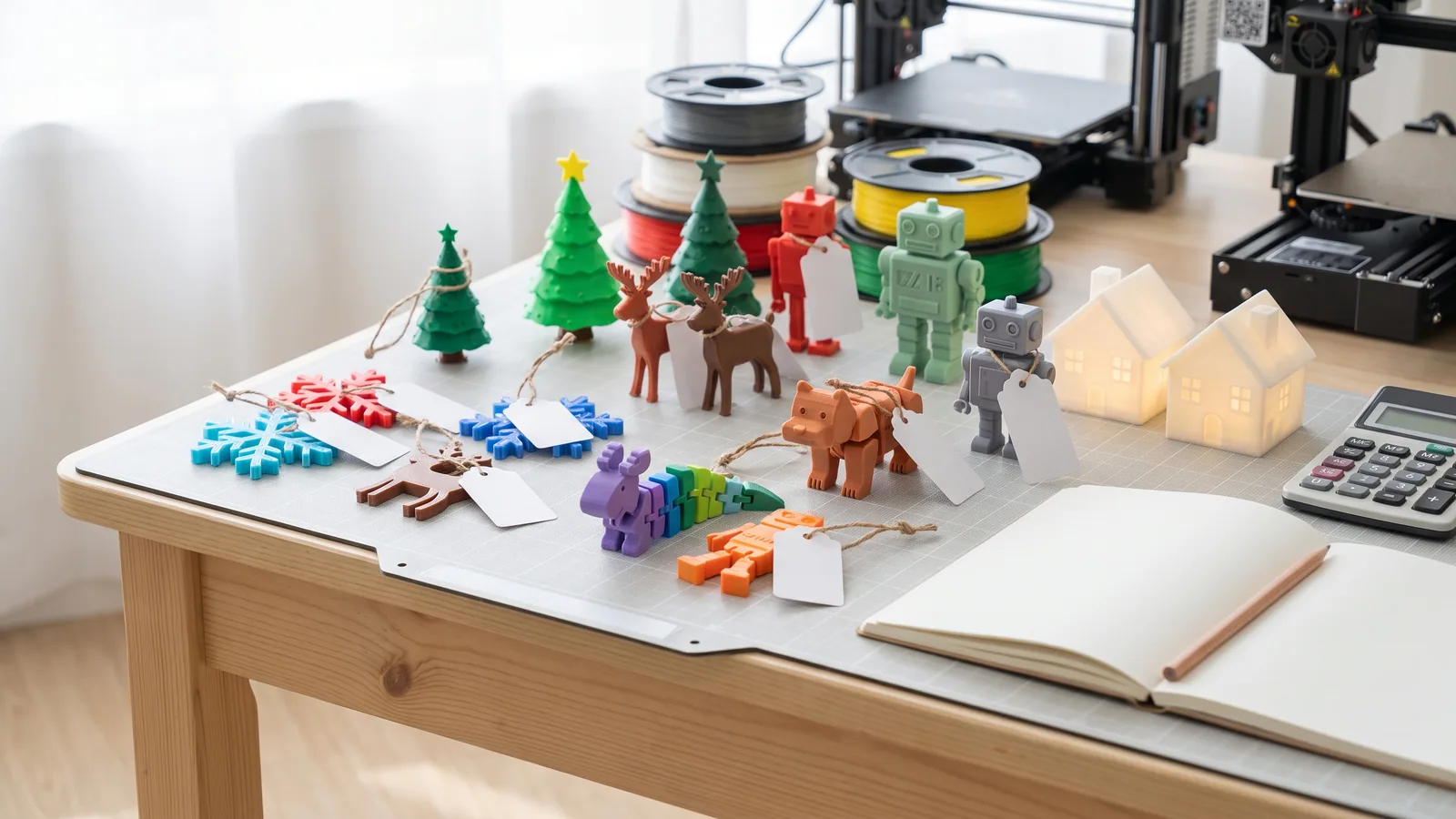
Most people who start selling 3D prints price them the same way: weigh the filament, multiply by the spool price, add a bit, and hope. The result is usually too cheap. The plastic is the smallest cost on the bill, and the costs that matter (printer hours, the prints that fail, the bits you buy, and your own time) never show up on the slicer screen.
This guide gives you a simple formula you can work out on paper or in a spreadsheet, then runs it on two real 3MF Labs designs from start to finish: a small ornament and a light-up village house. Every print time and filament weight comes from the slicer estimates in the design's own download. Every other number is either cited or marked as an assumption you should swap for your own.
If you haven't decided what to sell yet, start with 3D prints that sell at holiday craft fairs, which has real print times for ten fair-friendly items. To see what a whole fair table costs and how many printer hours it takes, read how to make money with a 3D printer. If you're new to the files themselves, what a 3MF file is takes a few minutes to read.
How do you price a 3D print?
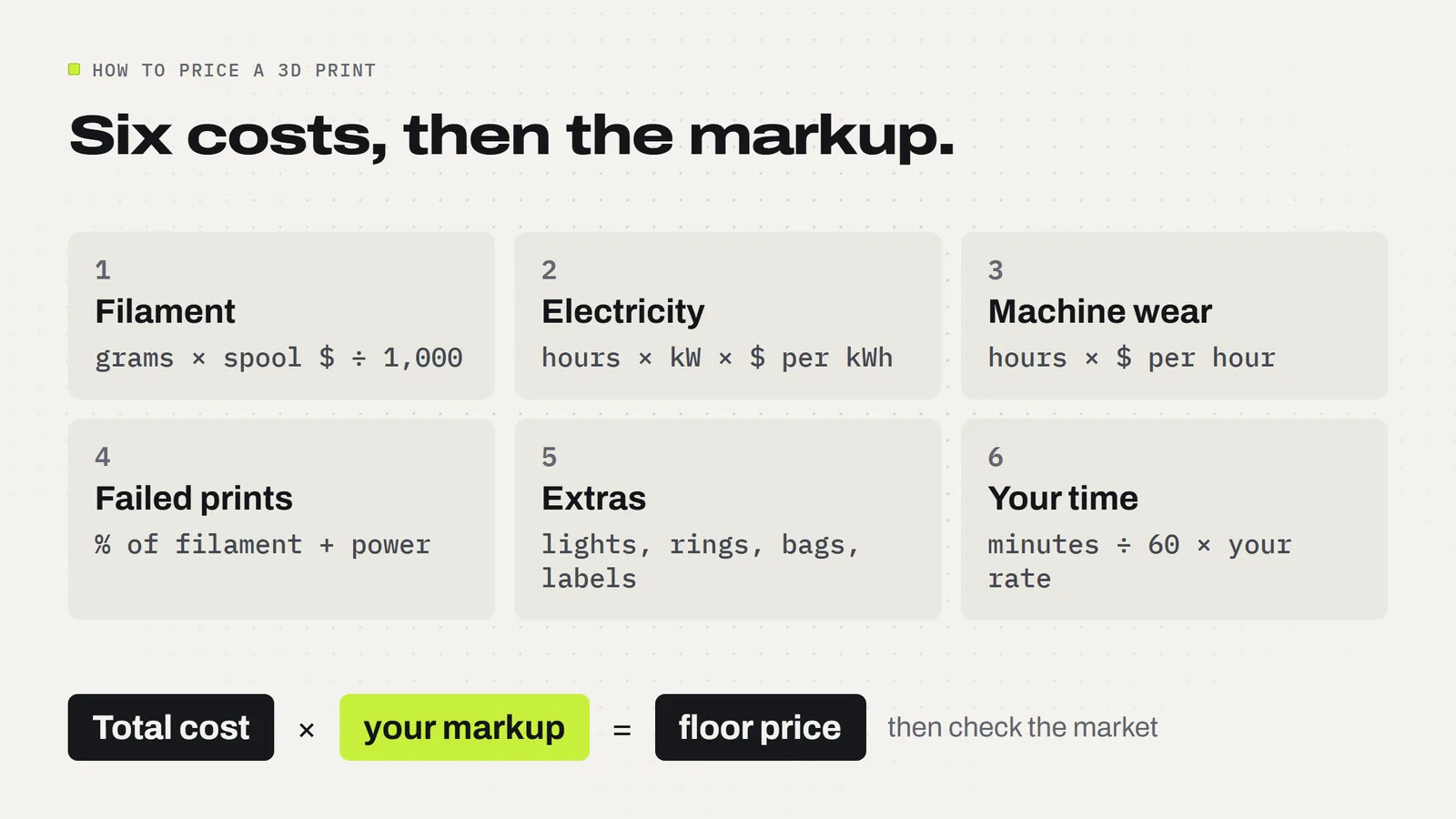
Add up what one finished item really costs you, then add your profit on top. Written out, the cost is six parts:
- Filament: grams used × your spool price ÷ 1,000. The slicer tells you the grams.
- Electricity: print hours × the printer's power draw in kilowatts × your price per kilowatt-hour.
- Machine wear: a small amount per printer hour for nozzles, build plates and the day the printer needs a repair.
- Failed prints: an allowance for the plates that don't come out, as a share of filament and power.
- Extras: anything that isn't printed. Tealights, ear wires, key rings, ribbon, bags, labels.
- Your time: the minutes you actually spend on that item, times what your time is worth to you.
Then: price = total cost × your markup, checked against what similar items sell for where you sell. The formula gives you a floor (the lowest price that doesn't lose money). The market tells you how far above the floor you can go.
How much does the filament in a 3D print cost?
Less than most people expect. Open the project in your slicer, slice it, and read the filament weight. In Bambu Studio it shows after slicing, next to the print time. Then divide your spool price by 1,000 to get the cost of one gram.
For the examples here we use $20 for a 1 kg spool, so one gram costs 2 cents. That's an assumption, not a quote: spool prices change by brand, color and shop. If yours cost $25, a gram is 2.5 cents. Use your own number. To see what prints across our catalog cost in filament and power, read how much it costs to 3D print something.
Two things catch new sellers out. First, multicolor prints waste filament on every color change, so the slicer's weight for a full-color print can be much higher than the finished object weighs. Use the slicer's number, not your kitchen scale. Second, a print with supports uses more filament than the part you sell. Again, the slicer number already includes it.
How much electricity does a 3D printer use?
Not much. Bambu Lab lists the P2S's steady power while printing PLA at 200 watts, which is 0.2 kilowatts. The U.S. Energy Information Administration expects the average U.S. home to pay 18.2 cents per kilowatt-hour in 2026. Put those together and one hour of printing costs about 3.6 cents.
Your rate is on your electric bill, and it can be much higher or lower than the average. Other printers draw different amounts, and the heated bed pulls more for the first few minutes. Even so, for most small prints the electricity is pennies. It's worth adding so your formula is honest, but it won't make or break a price.
Should you charge for printer wear and failed prints?
Yes, because both are real costs that arrive later. Nozzles wear, build plates lose their grip, belts and fans need replacing, and one day you'll need a part or a new printer. There's no standard figure for this, so pick a simple per-hour amount. In our examples we use 25 cents per printer hour. That's our assumption; if your printer runs every day, raise it.
Failed prints are the same idea. A plate that lets go halfway, a spaghetti mess overnight, a color that came out wrong. We add 10% of the filament and power cost as an allowance. When you're new, failures happen more often, so a bigger allowance is fair. Keep a tally of failed plates for a month and you'll know your real number.
How much should you charge for your time?
Count only the minutes you actually spend, not the hours the printer runs on its own. That means starting the print, taking it off the plate, removing supports or brims, checking it, fitting hardware, bagging and labeling. Batch printing helps a lot here: clearing one plate of six ornaments takes about as long as clearing one plate with a single ornament, so the minutes per item drop.
Pick an hourly rate you'd be happy to earn. We use $15 an hour in the examples. Then time yourself on a real batch rather than guessing. Many hobby sellers skip this line and wonder why a busy fair season feels like a lot of work for little money. Your time is usually the biggest single cost on a small print.
A real example: what does one 3D printed ornament cost to make?
Our Christmas Ornament Set has a single-color layout that puts all six ornaments (a snowflake, a snowman, a candy cane, a gingerbread man, a tree and a name banner) on one plate. The download's slicer estimate is 2 hours 22 minutes and 30.74 g for all six. That's about 24 minutes and 5.1 g per ornament.
Here's one ornament through the formula, with ribbon or a hook at 5 cents and a bag and label at 10 cents (both assumptions), and 3 minutes of your time:
- Filament: 5.1 g at 2 cents a gram = 10 cents
- Electricity: 0.39 hours at 3.6 cents = about 1 cent
- Machine wear: 0.39 hours at 25 cents = 10 cents
- Failed prints (10% of filament and power) = about 1 cent
- Ribbon, bag and label = 15 cents
- Your time: 3 minutes at $15 an hour = 75 cents
Total: about $1.13 per ornament. Notice that your time is two-thirds of it, and the plastic is under a tenth. At twice cost the floor price is about $2.25; at three times, about $3.38. Where you land above that depends on your market, and a hand-written name on the banner is worth charging extra for, since it's extra minutes.
A bigger example: pricing a light-up village house
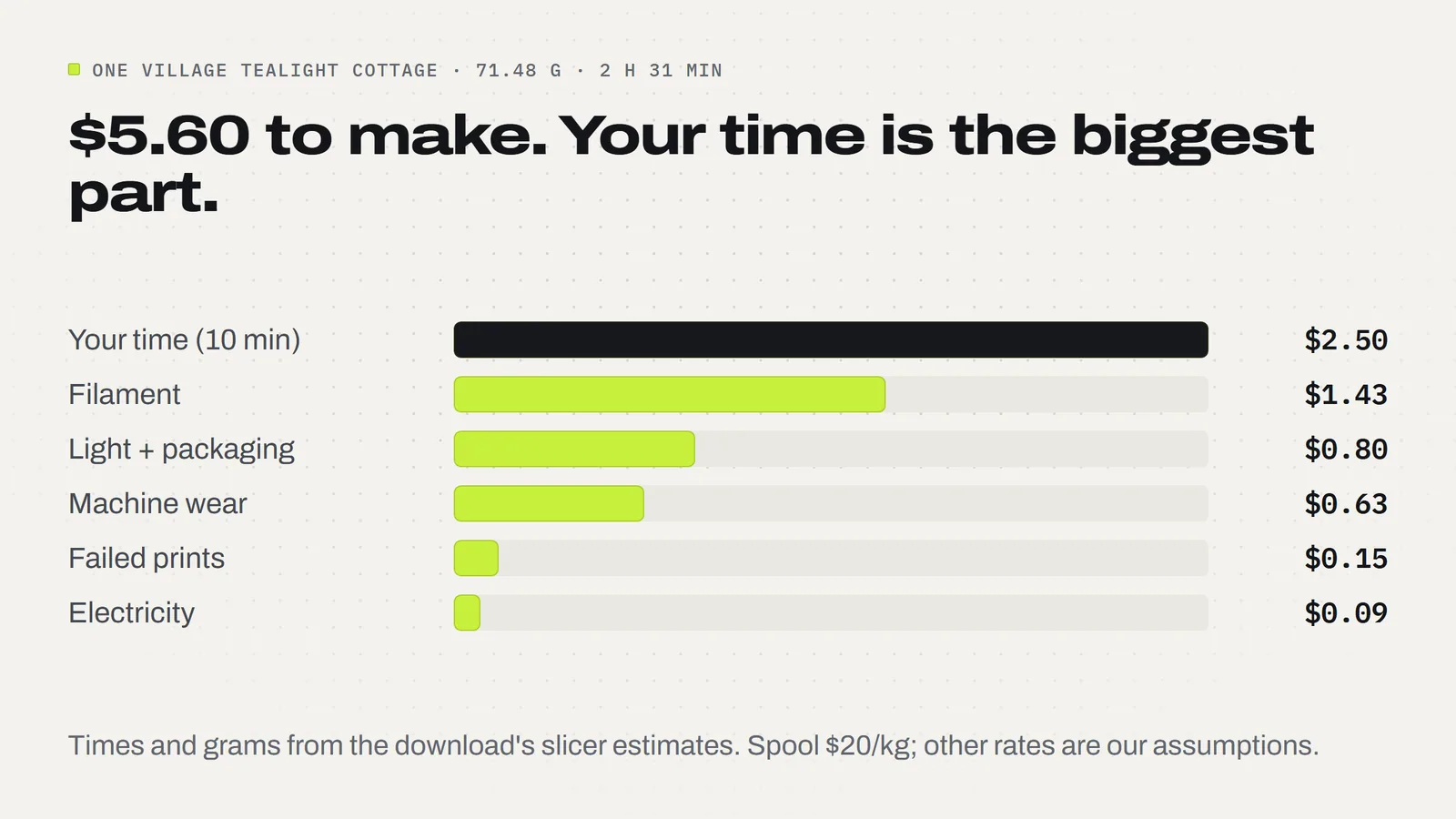
Our Village Tealight Houses are four snowy houses (a cottage, a church, a shop and a gingerbread house), each with a lift-off roof over a battery LED tealight. Each house is two prints, the walls and the roof, one color each, so no AMS is needed. For the red cottage the download's estimates are 57 minutes and 32.36 g for the walls and 94 minutes and 39.12 g for the roof: 2 hours 31 minutes and 71.48 g in total.
The tealight isn't printed or included, so it goes in extras. We assume 50 cents for the light and 30 cents for a box or bag and label, plus 10 minutes of your time to clear two plates, take off the brim and roof supports, fit the light and pack it.
| Cost | How it's worked out | One cottage |
|---|---|---|
| Filament | 71.48 g × $20 ÷ 1,000 | $1.43 |
| Electricity | 2.52 h × 0.2 kW × 18.2¢ | $0.09 |
| Machine wear | 2.52 h × 25¢ (assumption) | $0.63 |
| Failed prints | 10% of filament + power (assumption) | $0.15 |
| Extras | LED tealight 50¢ + packaging 30¢ (assumptions) | $0.80 |
| Your time | 10 minutes at $15 an hour (assumption) | $2.50 |
| Total cost | $5.60 | |
| Floor at 2× cost | $11.20 | |
| Floor at 3× cost | $16.81 |
The whole set of four houses is about 10 hours 46 minutes and 299.54 g in the download's estimates. Run it through the same formula, with four lights, four boxes and 30 minutes of your time, and it comes to about $20.41 to make, so about $41 at twice cost. Selling the four as a set saves you packing time, which is one reason sets often make more sense than singles.
What markup should you use on 3D prints?
There's no rule everyone agrees on, and nobody can tell you what your town's fair or your shop's customers will pay. What works is to set the floor with the formula, then look at the market:
- Check the comparison. What does a similar handmade item sell for at your fair or in your shop's category? Shoppers compare your ornament with the one on the next table, not with your filament cost.
- Charge more for what takes longer. Personalization, full color, assembly and gift packaging all cost you minutes. Put them in the price.
- Price sets as sets. Three ornaments for one round price nudges a one-item sale into three, and saves you change at the till.
- Round to whole dollars at in-person sales. It's faster, and people decide faster.
- Don't race the cheapest seller. If your price is far below everyone else's, you're probably leaving out your time.
If you sell online, add the platform's fees and shipping materials to the cost lines before you apply your markup. Those vary too much to cover here, so take the numbers from your own account.
Is there a simple 3D print pricing calculator?
You can make one in any spreadsheet in five minutes. Put these in one row for each item, and the last two columns work themselves out:
- Grams and print hours (from the slicer)
- Spool price, printer watts and your cents per kWh
- Wear per hour, failure %, extras, minutes of your time and your hourly rate
- Cost = grams × spool ÷ 1,000, plus hours × watts ÷ 1,000 × kWh price, plus hours × wear, plus the failure % of the first two, plus extras, plus minutes ÷ 60 × rate
- Floor price = cost × your markup
Once the row is set up, a new design takes thirty seconds: slice it, copy two numbers from the slicer, and read the floor price. Keep the spreadsheet; when spool prices or your electricity rate change, every price updates at once.
What about the cost of the design itself?
If you buy a design, it's a one-off cost you spread over everything you sell from it. A 3MF Labs design costs a few dollars once, and the 3MF Labs license lets you sell the physical prints you make from it with no limit and no royalty. Sell ten cottages and a $3.79 design adds about 38 cents to each; sell fifty and it's under 8 cents. You can't share, upload, resell or give away the files themselves, or remixes of them. Our guide to selling 3D prints covers the rest.
Every design downloads as a 3MF project with the plates, colors and settings saved for Bambu Studio, plus STL files for any other slicer, and a START_HERE guide with the slicer estimates you need for the formula. Browse the full list of designs to start pricing your table.
Designs from this guide
 $3.79
3ML-025 · Tealight houses
Village Tealight Houses
Four snowy little village houses that glow: a red cottage, an ivory church, a green shop and a gingerbread house, each with a lift-off snow roof over a battery LED tealight. STL + 3MF · 14 MB View model $3.79
3ML-021 · Ornament set
Christmas Ornament Set
Six flat layered tree ornaments with bold black outlines: a snowflake, a snowman, a candy cane, a gingerbread man, a Christmas tree and a blank name banner you personalize. STL + 3MF · 8.7 MB View model $3.79
3ML-031 · Tealight house
Gingerbread Tealight House
A big gingerbread house that glows: icing trim, a candy-cane door, and a snowy lift-off roof with peppermints and gumdrops over a battery LED tealight. STL + 3MF · 3.0 MB View model $3.79
3ML-013 · Flexi snake
Peppermint Snake
A wiggly snake made of peppermint candies, with black eyes and a red tongue. It prints in one piece, already joined, so there's nothing to put together. STL + 3MF · 23 MB View model $3.79
3ML-028 · Earring collection
Christmas Earrings
Four pairs of Christmas earrings: gingerbread men, candy canes, snowflakes and Christmas trees. STL + 3MF · 4.0 MB View modelQuestions
How do you calculate the price of a 3D print?
Add six costs for one finished item: filament (grams × spool price ÷ 1,000), electricity (hours × kilowatts × your rate), machine wear per hour, an allowance for failed prints, extras like hardware and packaging, and your hands-on time. That total is your cost. Multiply it by a markup, then check the result against similar items where you sell.
How much should I charge for 3D prints per gram?
Pricing by the gram alone usually undercharges, because filament is the smallest cost. A $20 spool is 2 cents a gram, but a 5 g ornament still needs about 24 minutes of printer time and a few minutes of yours. Work out the full cost per item instead, then add your markup.
How much electricity does a 3D printer use per hour?
Bambu Lab lists the P2S at about 200 watts while printing PLA. At the 18.2 cents per kilowatt-hour the U.S. Energy Information Administration expects for homes in 2026, that is about 3.6 cents an hour. Check your own bill for your rate; other printers draw different amounts.
What markup should I put on 3D prints?
There is no standard markup. Use the cost formula to find your floor, then compare with what similar handmade items sell for at your fair or in your shop. Twice and three times cost are useful starting points to test. Charge more for personalization, full color and assembly, since they take longer.
Should I charge for my time when selling 3D prints?
Yes. Count the minutes you spend starting the print, clearing the plate, removing supports, fitting hardware and packing. On small prints your time is usually the biggest cost: in our ornament example it is 75 cents of a $1.13 total. Batch printing lowers it, because clearing a full plate takes about as long as clearing one item.
How much does it cost to make a 3D printed ornament?
About $1.13 in our example. The Christmas Ornament Set prints six ornaments in 2 h 22 min with 30.74 g of PLA. Per ornament that is 10 cents of filament, about 1 cent of power, 10 cents of wear, 15 cents of ribbon and bag, and 75 cents for 3 minutes of your time at $15 an hour.
Is there a free 3D print pricing calculator?
A spreadsheet works as well as any calculator. Make one row per item with grams, print hours, spool price, printer watts, your electricity rate, wear per hour, failure percentage, extras, your minutes and your hourly rate. Add a cost column using the six-part formula and a price column that multiplies cost by your markup.
Can I sell prints made from 3MF Labs designs?
Yes. The 3MF Labs license lets you sell the physical prints you make from our designs with no limit and no royalty. You cannot share, upload, resell or give away the files themselves or remixes of them.
Sources
Filed under Selling your prints