3MF vs G-code: What Your Printer Actually Needs (and What a .gcode.3mf Is)
Your printer can't run a 3MF project, and a .gcode.3mf is not the same thing as a .3mf. Here is what each file is for, with real numbers from one of our own sliced projects.
What is the difference between a 3MF file and G-code?
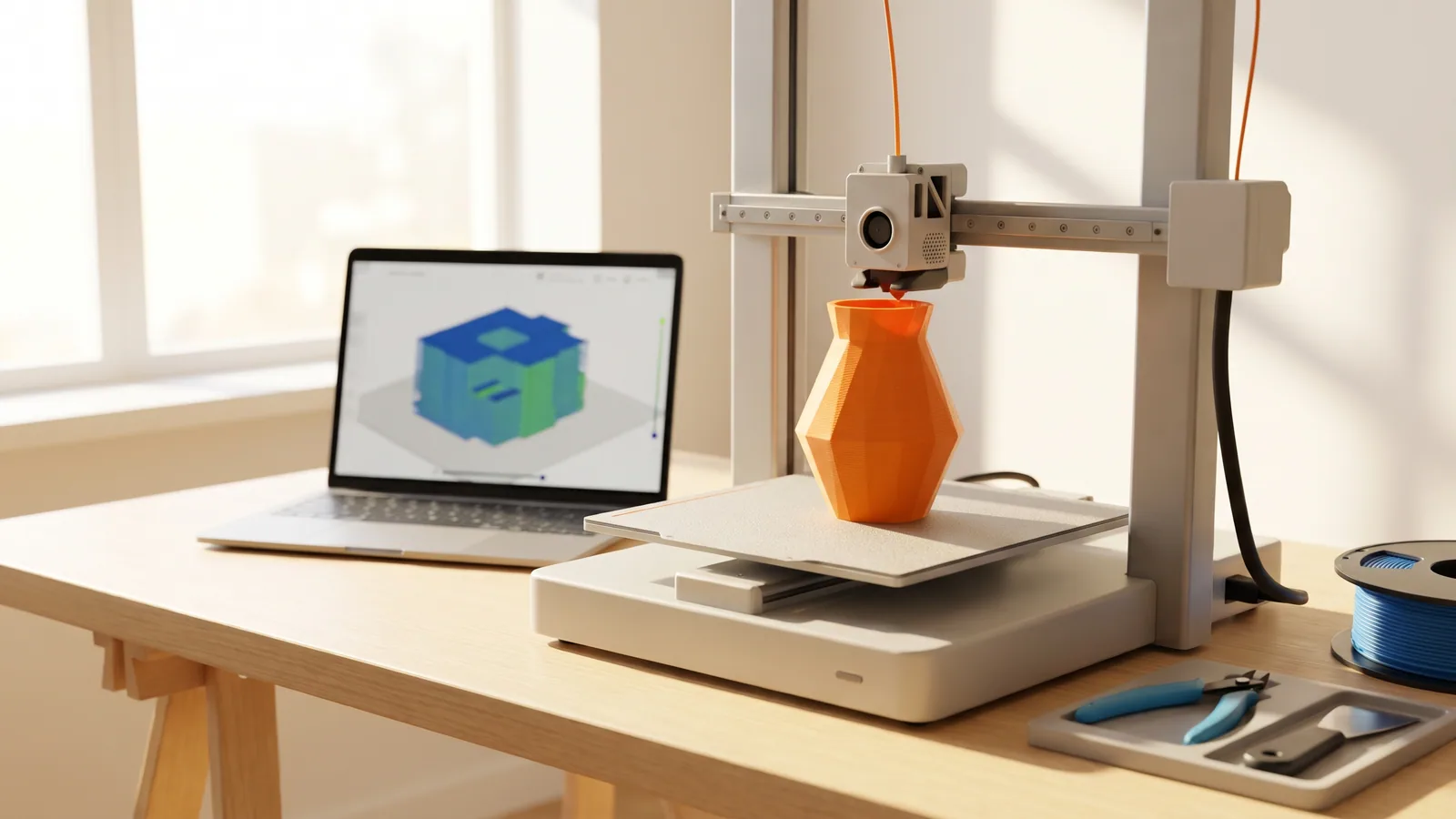
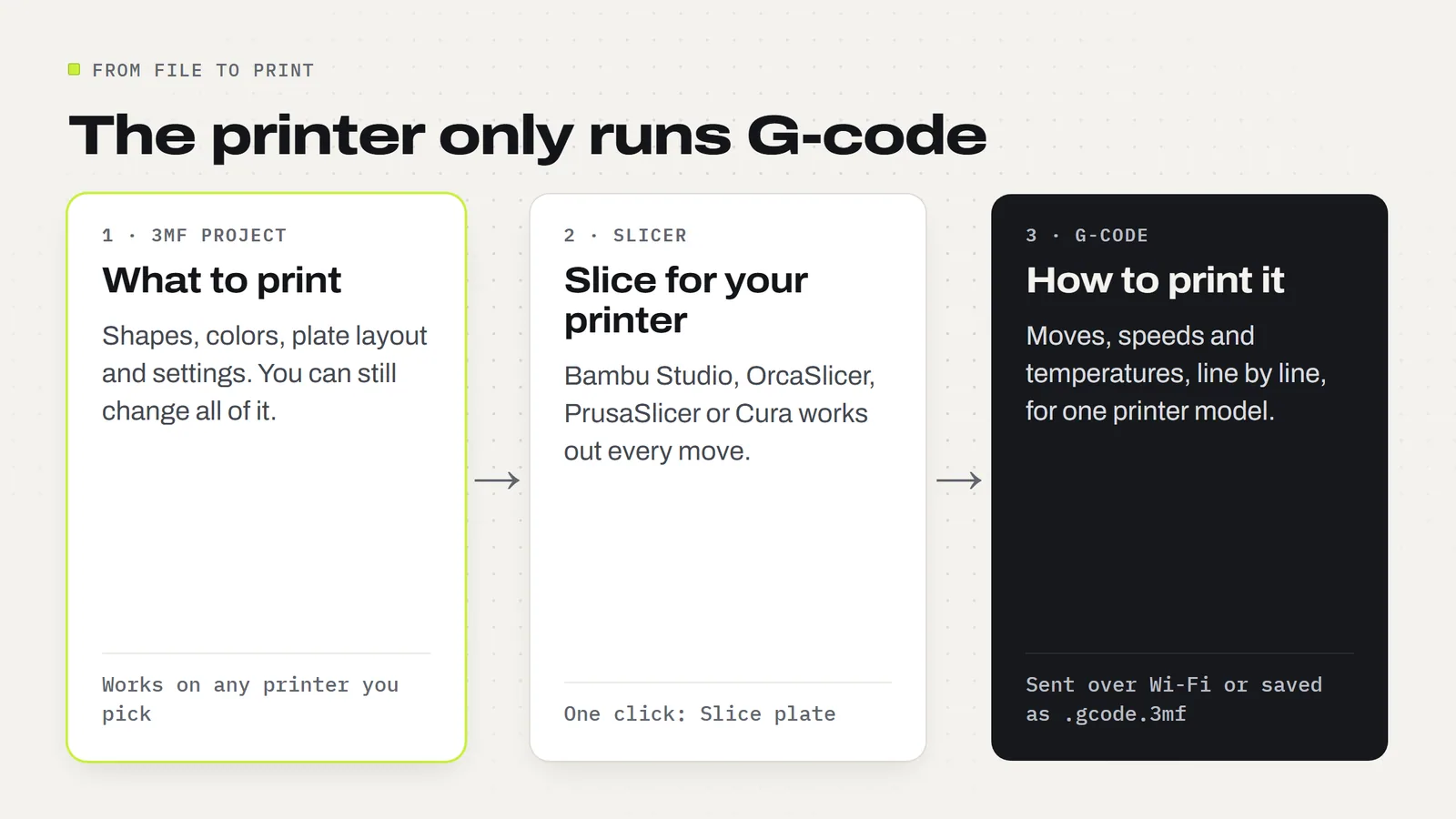
A 3MF file describes what to print. G-code tells the printer how to print it, one move at a time.
A 3MF project holds the shape of each part plus the setup around it: which colors go where, how the parts sit on the plate and the print settings the designer chose. It's the editable version. You can open it, swap a color, add a brim or move a part, and nothing is locked in yet.
G-code is what comes out the other end of the slicer, the program (Bambu Studio, OrcaSlicer, PrusaSlicer, Cura) that turns a shape into printer instructions. It's a long list of plain-text commands: heat the nozzle to this temperature, move here at this speed, push out this much filament, lift up 0.2 mm, do it again. The printer reads it line by line and follows it. It doesn't know it's printing a lantern. It only knows where to go next.
So the order is always the same: 3MF (or STL) → slicer → G-code → printer. If you're new to the format itself, start with what a 3MF file is and what's inside one.
What is G-code, in plain English?
G-code is a simple command language that most 3D printers (and CNC machines) understand. Each line is one instruction. The most common one is G1, a straight-line move. Here is a real line from one of our own sliced files:
G1 X71.397 Y65.55 E.6802
That says: move in a straight line to the point 71.397 mm across and 65.55 mm deep on the plate, and push out 0.68 mm of filament on the way. In this file, about 900 of those lines on average draw one layer. Then the printer lifts a fraction of a millimeter and starts the next.
The catch is that G-code is written for one exact machine. The slicer bakes in that printer's bed size, its start-up routine, its nozzle size, its speeds and the filament you told it you had loaded. Move the same G-code to a different printer and those numbers may be wrong for it.
How big is a G-code file compared with the 3MF? (a real example)
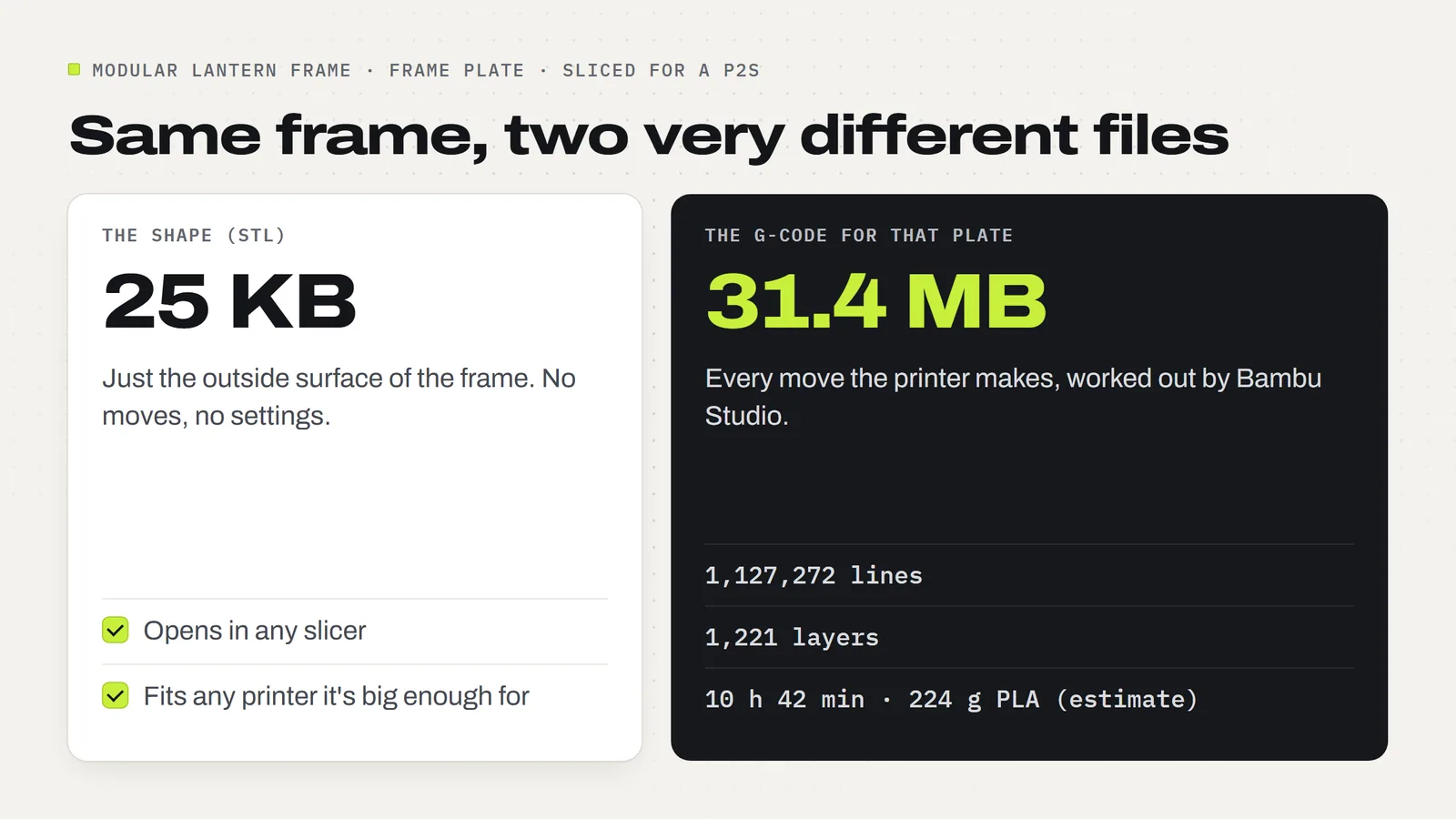
We opened the project for our Modular Lantern Frame, the frame part that holds the decorative plates, after it had been sliced in Bambu Studio for a Bambu Lab P2S. The difference in size tells you everything about what each file is for.
- The shape as an STL: 25 KB.
- The G-code for that one plate: 1,127,272 lines across 1,221 layers, 31.4 MB of text before compression.
- What the slicer worked out along the way: an estimated 10 h 42 min and 224 g of PLA for the frame plate alone.
Same lantern frame, about 1,300 times more data once it's been turned into moves. That is why nobody passes plain G-code around as "the design". It's huge, it's tied to one printer, and you can't change a color or a setting in it without going back to the project and slicing again.
Can a 3D printer print a 3MF file directly?
Not a plain 3MF project. Copy one onto a printer's card and the printer won't know what to do with it, because there's no G-code inside, only shapes and settings. Saving the project again doesn't change that. It still needs slicing.
The exception is a file whose name ends in .gcode.3mf. That one has already been sliced, so it does carry the G-code, and a Bambu printer can print it straight from its screen. More on that below.
If you're printing from a computer over Wi-Fi, you don't have to think about any of this. In Bambu Studio you open the 3MF, press Slice plate and then Print (or Send). The slicing and the hand-off happen in one go, and the printer receives G-code without you ever seeing a G-code file.
What is a .gcode.3mf file?
A .gcode.3mf is Bambu Studio's sliced file: a 3MF-style package with the finished G-code for a plate tucked inside, plus a preview picture and the slicing summary (time, filament). You get one when you choose File, then Export, then Export plate sliced file, or when Bambu Studio sends a job to the printer's storage card.
Three things to know about it:
- It's ready to print. Put it on the printer's microSD card or USB stick, whichever your model takes, and pick it from the printer's screen. No computer needed on the day.
- It's tied to one printer model. It was sliced for a particular printer, nozzle and plate. Bambu printers may warn you if you try to run a file sliced for a different model, and you should listen.
- Don't rename it. Changing
.gcode.3mfto.gcodedoesn't turn it into plain G-code. It's still a zipped package, so the printer just sees a broken file.
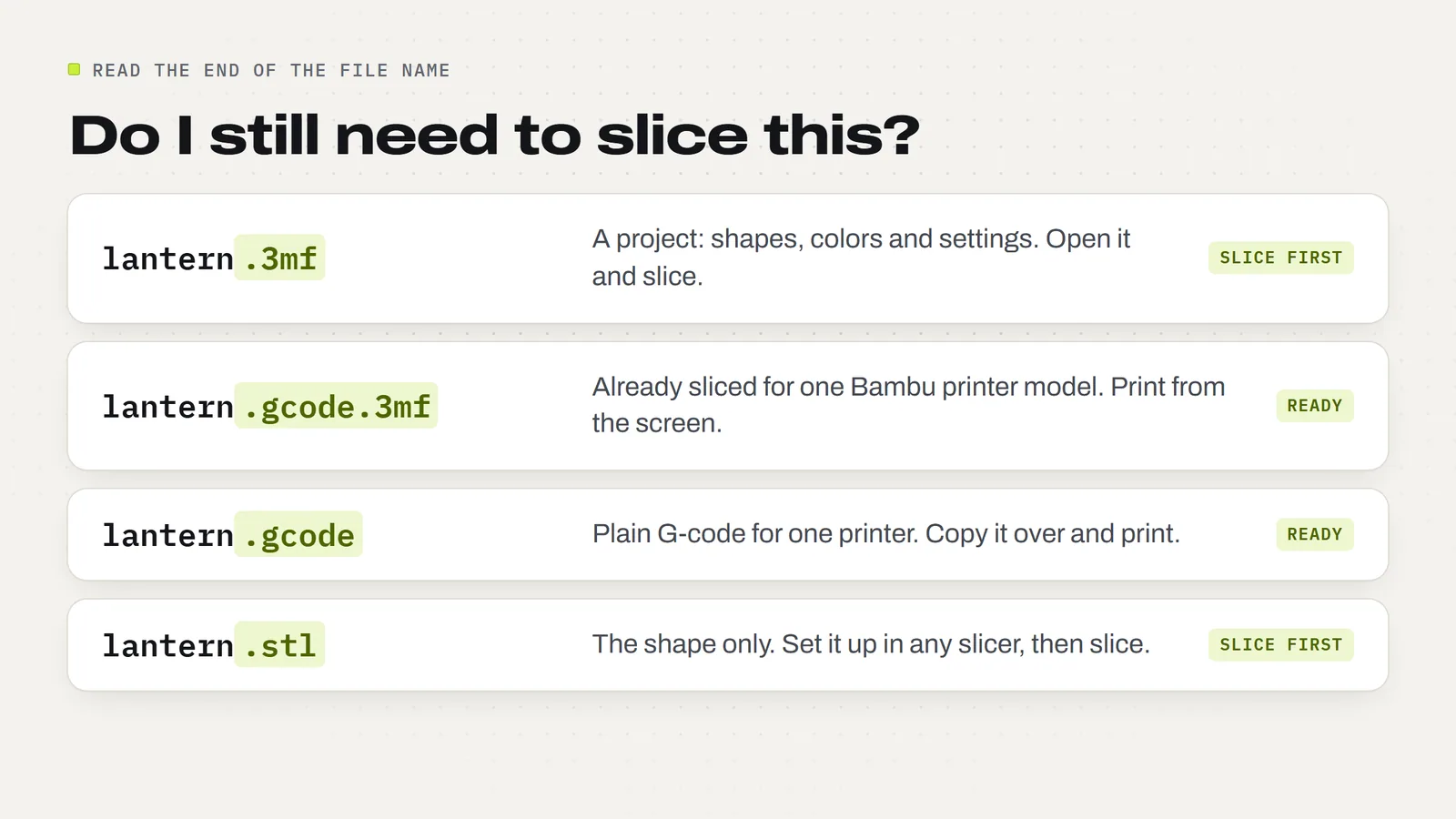
Quick way to tell them apart: name.3mf is a project you still slice. name.gcode.3mf is a finished print job for one printer. name.gcode is plain G-code, which most non-Bambu printers use.
3MF, .gcode.3mf, G-code or STL: which file is which?
| File | What it holds | Can you edit it? | Works on any printer? | What you do with it |
|---|---|---|---|---|
| .3mf project | Shapes, colors, plate layout, settings | Yes, fully | Yes, after you pick your printer and slice | Open in a slicer, slice, print |
| .gcode.3mf | Finished G-code for one plate, plus a preview | No, re-slice the project instead | No, only the printer model it was sliced for | Print from the printer's screen or card |
| .gcode | Plain-text printer moves | Only by hand, line by line | No, only the printer it was sliced for | Copy to the printer and print |
| .stl | The outside shape only | Shape only, no colors or settings | Yes, in any slicer | Open in a slicer, set it up yourself, slice |
The full STL versus 3MF comparison lives on our STL vs 3MF guide.
How do I turn a 3MF file into G-code?
You slice it. In Bambu Studio it takes about a minute:
- Open the 3MF and choose to open it as a project, so the plates, colors and settings come with it.
- Pick your printer at the top of the left panel, plus your plate type. If Bambu Studio asks what to do with the project's settings, keep the designer's values.
- Match the filament colors to what's actually loaded in your printer or AMS.
- Click Slice plate. Bambu Studio builds the G-code and shows a preview with the time and filament.
- Print or Send over Wi-Fi, or Export plate sliced file to copy a
.gcode.3mfonto the printer's card yourself.
Our Bambu Studio for beginners guide walks through the same five steps with pictures. OrcaSlicer works almost the same way. In PrusaSlicer or Cura the button is also called Slice, and the export is a plain .gcode file (or Prusa's own binary G-code on newer Prusa printers).
Why do designers sell 3MF projects instead of G-code?
Because G-code only fits one printer, and buyers own lots of different ones.
Our own 3MF projects are set up in Bambu Studio for a Bambu Lab P2S, the printer we test on, with all the settings saved. If you have an A1, an A1 mini or another Bambu model, you switch the printer before slicing and Bambu Studio carries the settings over. If we shipped P2S G-code instead, it would only be safe to run on a P2S. On a smaller printer like the A1 mini (180 mm plate) it could even try to print outside the bed. The A1 mini build volume guide covers how to check a file fits.
A project also leaves room for the choices that are yours to make: your colors, your filament brand, a brim on a slippery plate, a slower speed for a tricky material. G-code has all of those decided already.
That's why every 3MF Labs download comes as a 3MF project plus STL files of every part. Bambu owners open the project and slice; anyone on PrusaSlicer, Cura or another slicer uses the STLs. Browse the designs to see what each one includes.
Can you edit G-code or turn it back into a 3MF?
You can open G-code in a text editor, and some people tweak a temperature or add a pause by hand. For anyone who isn't comfortable with that, the honest advice is: don't. Change the setting in the project and slice again. It's faster and you can't break the file.
Turning G-code back into a 3MF project isn't practical. The slicer threw away the shape and the settings when it turned them into moves, so there's nothing clean to rebuild from. Some slicers can open G-code to show it as a preview, which is handy for checking a file, but that's viewing, not editing. If all you have is G-code and you need a change, go back to the original 3MF or STL.
The same goes for STL: you can't pull a usable STL out of G-code either. If you need an STL from a 3MF, that one is easy, and our 3MF to STL guide shows how.
So which file should you download or keep?
- Buying or downloading a design: take the 3MF project (and the STLs if you don't use Bambu Studio). It works on whatever printer you own.
- Printing the same thing over and over: once you've sliced a plate you're happy with, export the
.gcode.3mfand keep it on the printer's card. Craft fair restocks then start from the printer's screen without the computer. Re-slice if you change printer, filament or plate. - Keeping a backup: keep the 3MF project, not just the G-code. The project is the one you can still change next year.
The short version: 3MF is the recipe, G-code is the meal cooked for one kitchen. Keep the recipe. Answers to other common questions are on our FAQ page, and what you may do with the prints you make is on the license page.
Ready to try a project file? The Modular Lantern Frame and the rest of the designs all come as Bambu Studio projects plus STLs, so slicing is usually one click.
Designs from this guide
 $2.49
3ML-012 · Lantern frame
Modular Lantern Frame
The Modular Lantern's frame, roof and carry handle. Print it once, then slide in a set of panels for every season. STL + 3MF · 2.0 MB View model $3.79
3ML-088 · Flexi shark
Christmas Flexi Shark
A toothy cartoon shark in a Santa hat that wiggles side to side. It prints in one piece, already joined, so there's nothing to put together. STL + 3MF · 33 MB View model $3.79
3ML-113 · Flexi reindeer
Articulated Reindeer
A chubby red-nosed reindeer whose head turns and whose body wiggles side to side. It prints in one piece, already joined, so there's nothing to put together. STL + 3MF · 8.7 MB View model $2.49
3ML-067 · Fidget spinner
Snowflake Fidget Spinner
A six-armed snowflake that spins around its centre hub. It prints in place in one piece: no metal bearing, no assembly. STL + 3MF · 8.2 MB View model $3.79
3ML-104 · Elf furniture
Elf Furniture Set
A little bedroom for your Christmas elf: a bed with a star headboard and bedding that lifts out, a red armchair with a white cushion, and a round side table. STL + 3MF · 12 MB View model $3.79
3ML-094 · Coaster set
Christmas Coasters
Four festive drink coasters, a snowflake, a Christmas tree, a gingerbread man and an ornament, with an open-front holder they stack in. STL + 3MF · 2.5 MB View modelQuestions
Does a 3MF file need to be sliced?
Yes. A plain 3MF project holds shapes and settings, not printer moves. Open it in Bambu Studio or another slicer, pick your printer, match the filament colors and click Slice. Printing over Wi-Fi does the slicing and sending in one go.
Can a 3D printer print a 3MF file directly?
Not a plain 3MF project: the printer needs G-code. A file ending in .gcode.3mf is different, because it has already been sliced, so a Bambu printer can print it straight from its screen or storage card, on the printer model it was sliced for.
What is the difference between a 3MF file and G-code?
A 3MF describes what to print: shapes, colors, layout and settings, and you can still change them. G-code describes how to print it on one specific printer: every move, temperature and amount of filament, already worked out by the slicer.
What is a .gcode.3mf file?
It is Bambu Studio's sliced print file: a 3MF-style package with the finished G-code for one plate inside, plus a preview image and the time and filament estimate. Export it with Export plate sliced file and print it from the printer's card.
Can I rename a .gcode.3mf to .gcode?
No. A .gcode.3mf is a zipped package, so renaming it does not turn it into plain G-code; the printer just sees a broken file. Keep the name the slicer gave it.
Can I use G-code sliced for a different printer?
It is not a good idea. G-code has the printer's bed size, start-up routine, nozzle and speeds built in. Bambu printers may warn about a file sliced for another model. Re-slice the 3MF project for your own printer instead.
Can I convert G-code back into a 3MF or STL?
Not in any useful way. Slicing turns the shape and settings into moves and throws the rest away. Some slicers can open G-code as a preview, but to change anything go back to the original 3MF project or STL.
Why don't 3D model downloads come as G-code?
Because G-code only fits the printer it was sliced for. A 3MF project works on any printer once you pick yours and slice, and it keeps your color and filament choices open. 3MF Labs downloads include the 3MF project and STLs of every part.
Sources
Filed under Files and formats