3D Print Warping: Why Corners Lift and How to Stop It
A corner that peels off the plate halfway through a print is the most common way a good print fails. Here is why it happens, the free fixes to try first, and how our own projects are set up so it doesn't.
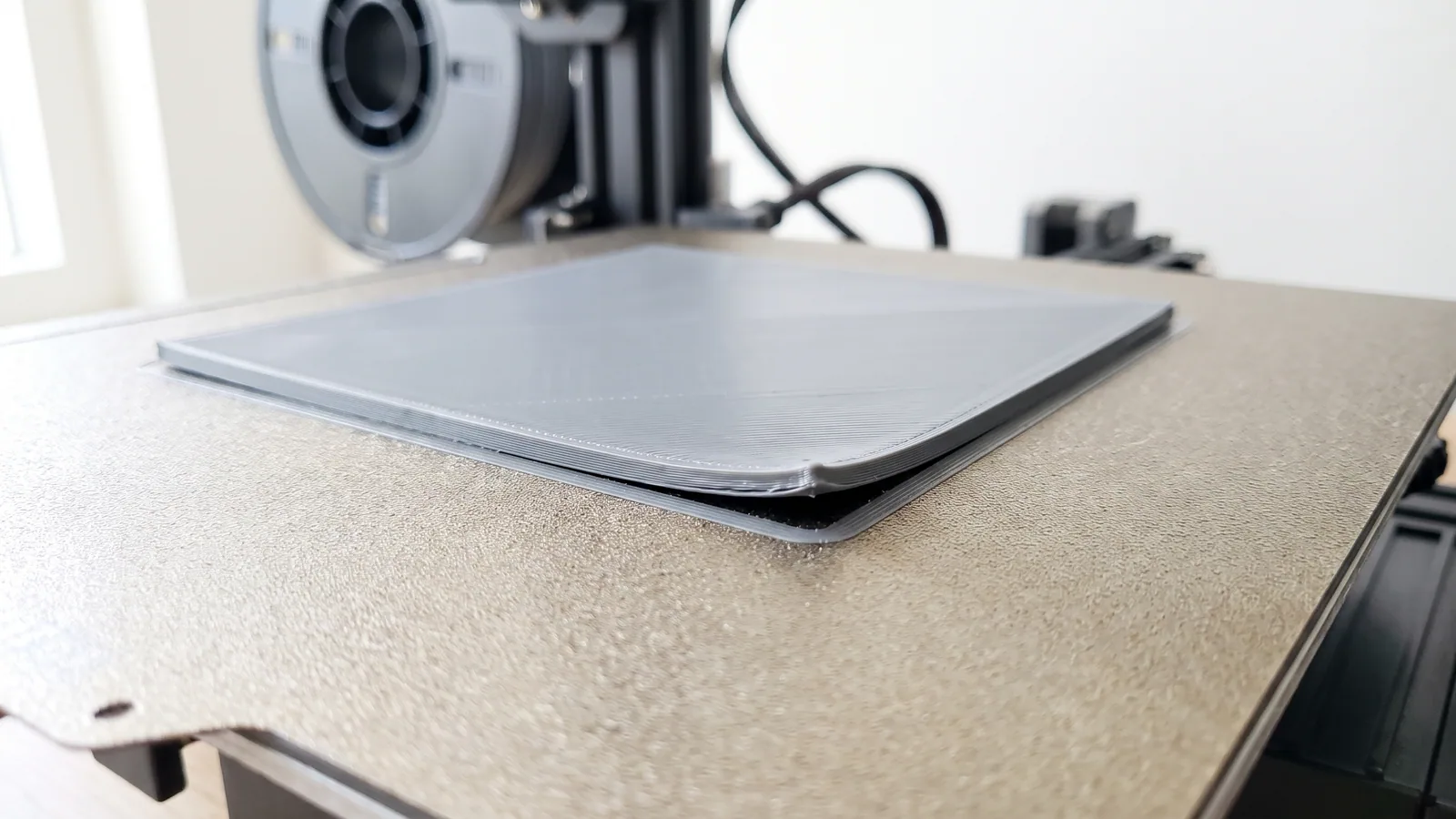
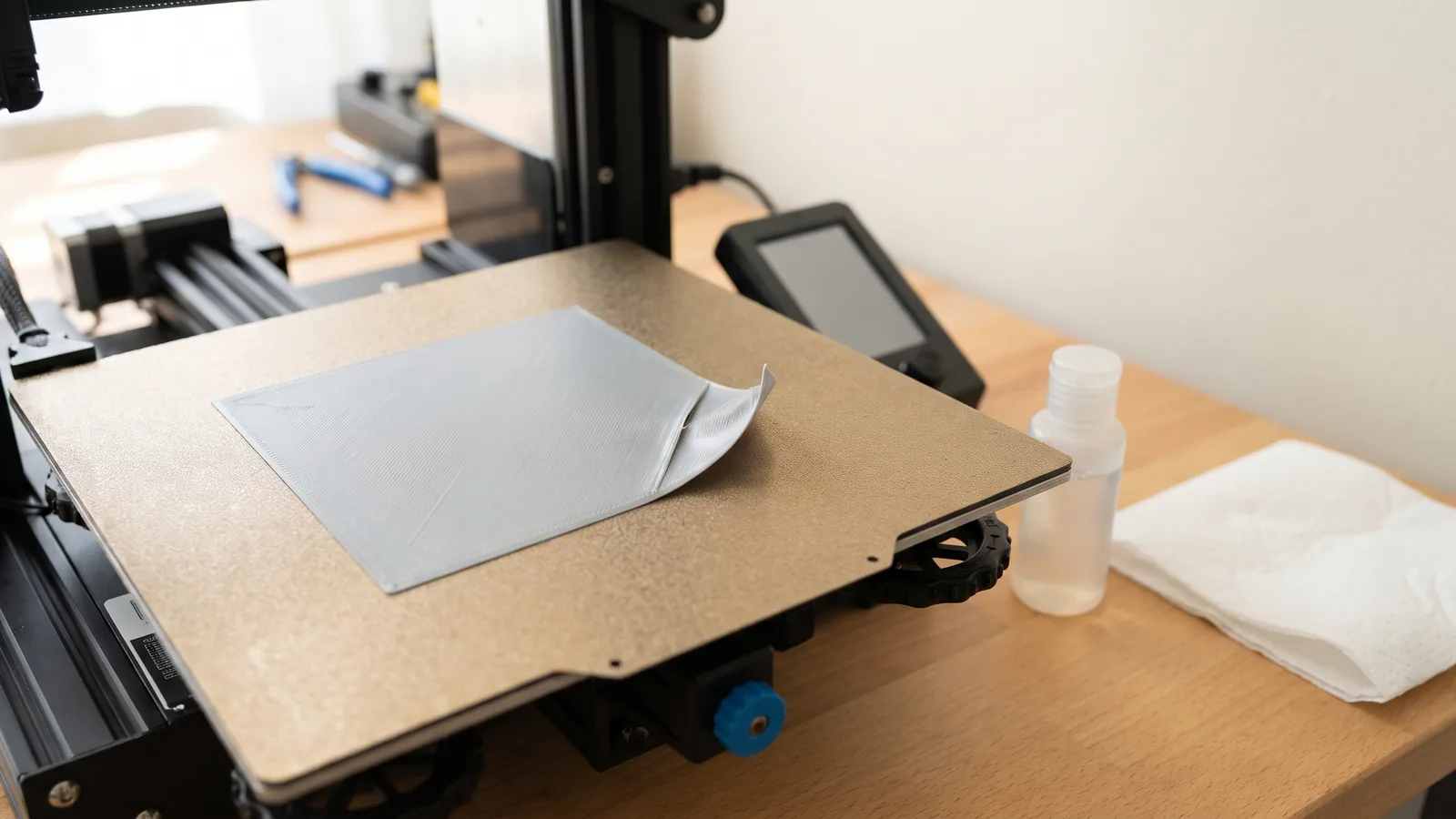
The first few layers looked perfect. An hour later you come back and one corner of the part has peeled up off the plate, curled like an old photo, and the bottom edge is no longer flat. That is warping, and it is one of the most common reasons a long print ends up in the bin.
The good news: on a modern printer with ordinary PLA, warping almost always comes down to a handful of simple things, and most of them cost nothing to fix. This guide explains why corners lift, which fixes to try first, and how our own ready-to-print designs are set up to avoid it, using the real settings saved in 534 of our project files.
What is warping in 3D printing?
Warping is when the bottom of a print bends away from the build plate (the removable sheet the printer prints on). It usually starts at a corner or the end of a long, thin edge. The part lifts a millimetre or two, sometimes more, and from then on the bottom face is no longer flat.
Small amounts of warping are easy to miss. Bambu Lab's own troubleshooting guide notes that slight lifting can show up as a ripple line on the side wall or rough top layers, and is often mistaken for a flow problem. Bigger amounts are obvious: a rocking part, a gap you can slide a fingernail under, or a print the nozzle knocks loose halfway through.
Warping is related to, but not the same as, a print that will not stick at all. If your first layer never grips the plate, start with our guide to a 3D print not sticking to the bed. Warping is the slower version: the first layer sticks, then lets go at the edges as the part grows.
Why do 3D prints warp and corners lift?
Plastic shrinks as it cools. Every layer goes down hot and soft, then cools and gets a tiny bit smaller. As it shrinks, it pulls inward on the cooler layers underneath. One layer's pull is tiny. Fifty layers' worth adds up.
The middle of a part is held down from all sides. The corners and the ends of long edges are not, so they are where that pulling force wins. Bambu Lab describes it as the outer edges cooling faster than the centre, which creates tension that pulls the corners up.
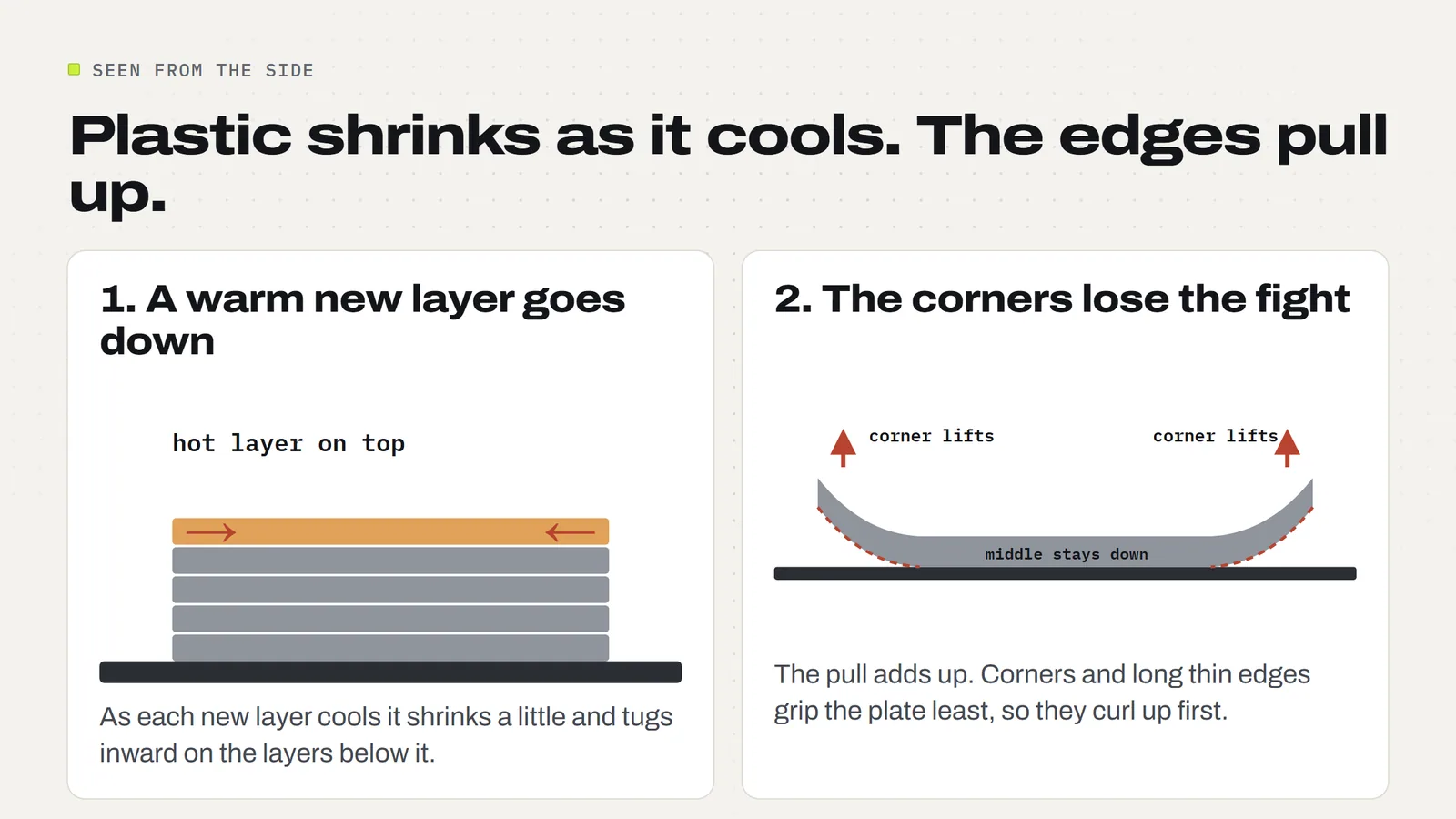
Anything that makes the plastic cool faster or more unevenly makes warping worse: a cold room, a draft, too much fan on the first layers, or a bed that is not warm enough. Anything that weakens the grip at the bottom makes it worse too: an oily plate, the wrong plate setting, or a first layer that is too high.
Which filaments warp the most?
Some plastics shrink more than others. Bambu Lab lists the common ones from most to least prone to shrinkage: PC, PA-CF, PA (nylon), ABS, ASA, PETG, then PLA. PLA is the easiest, which is a big reason it is the default for decorations, toys and most things people print to sell.
| Filament | Warping risk | What it usually needs | Open printer OK? |
|---|---|---|---|
| PLA | Lowest | Clean plate, warm bed, a brim on big flat parts | Yes |
| PETG | Low to medium | A warmer bed and gentle cooling on the first layers | Yes |
| ASA | High | Enclosed printer, hot bed, glue stick | Not for big parts |
| ABS | High | Enclosed printer, hot bed, glue stick | Not for big parts |
| Nylon (PA), PC | Highest | Enclosed, heated chamber, glue, dry filament | No |
Bambu Lab is blunt about it: large flat parts in ABS, ASA or PC will almost always warp without an enclosure, and if you do not have one, the fix is to switch to PLA or PETG. For a craft-fair table, that is good news. Nearly everything you would sell there prints in PLA. If you are choosing between the two easy ones, our PLA vs PETG guide covers which suits lanterns, bowls and outdoor pieces.
How do you stop a 3D print from warping?
Work through these in order. The first three fix most cases and cost nothing. Bambu Lab's guide estimates that the basics (a clean plate, bed levelling and a correctly fitted nozzle) solve about 80% of warping and adhesion failures before you touch a single setting.
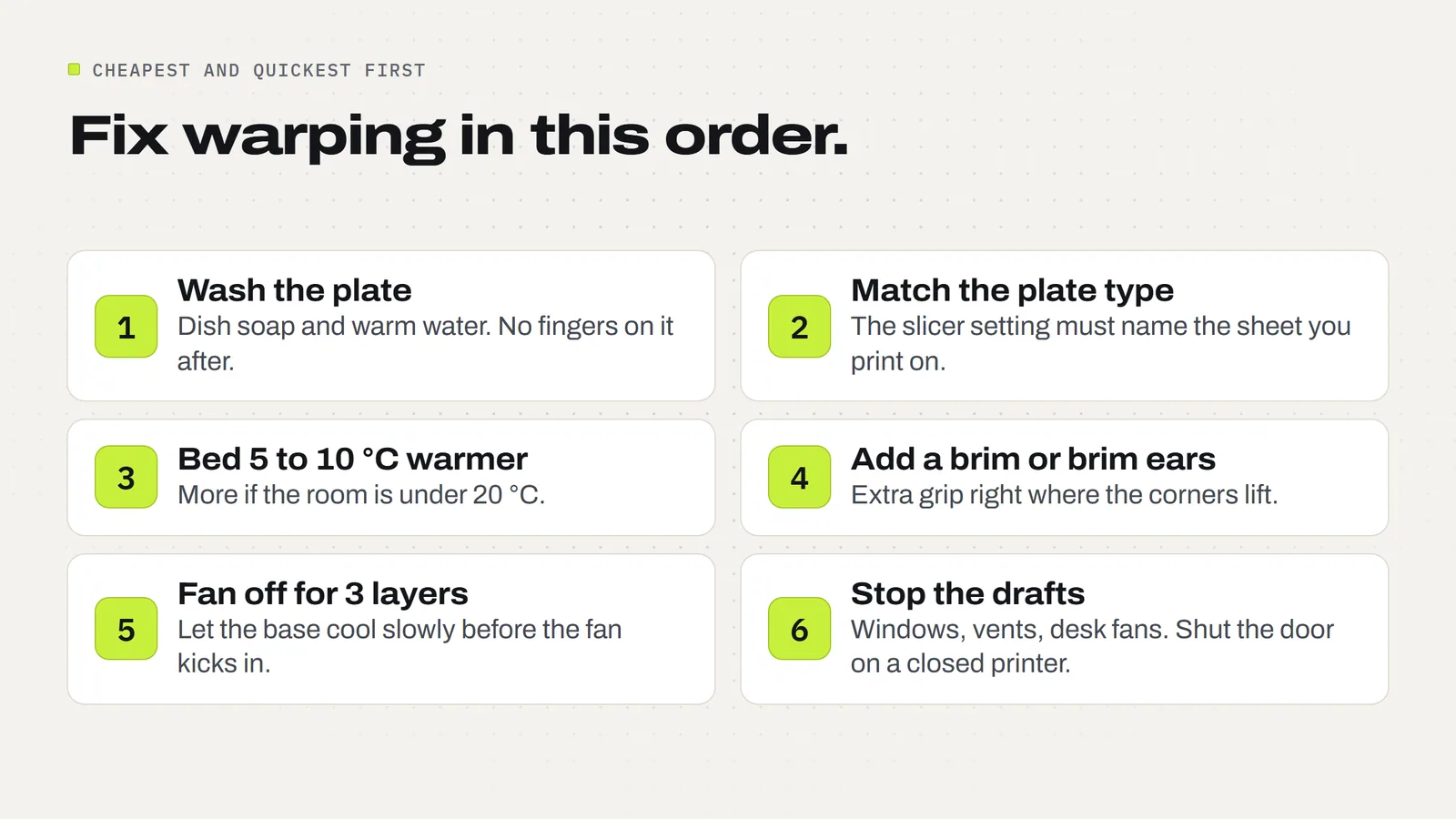
- Wash the plate. Skin oil is the number one cause of poor grip. Take the cool plate to the sink and scrub it with warm water and plain dish soap, rinse and dry it, then hold it only by the edges. Our textured PEI plate care guide has the full method.
- Check the plate type in the slicer. In Bambu Studio, the plate setting must match the sheet on the printer. If you slice for a Cool Plate but print on a Textured PEI Plate, the bed runs far too cool. Bambu also notes the printer lowers the nozzle by 0.04 mm for the textured plate, so the wrong setting leaves the first layer too high as well.
- Warm the bed by 5 to 10 °C. This is Bambu's first suggestion for PLA corners lifting, aiming for 55 to 65 °C on a textured PEI plate. A warmer bed keeps the bottom layers soft and stuck while the part grows.
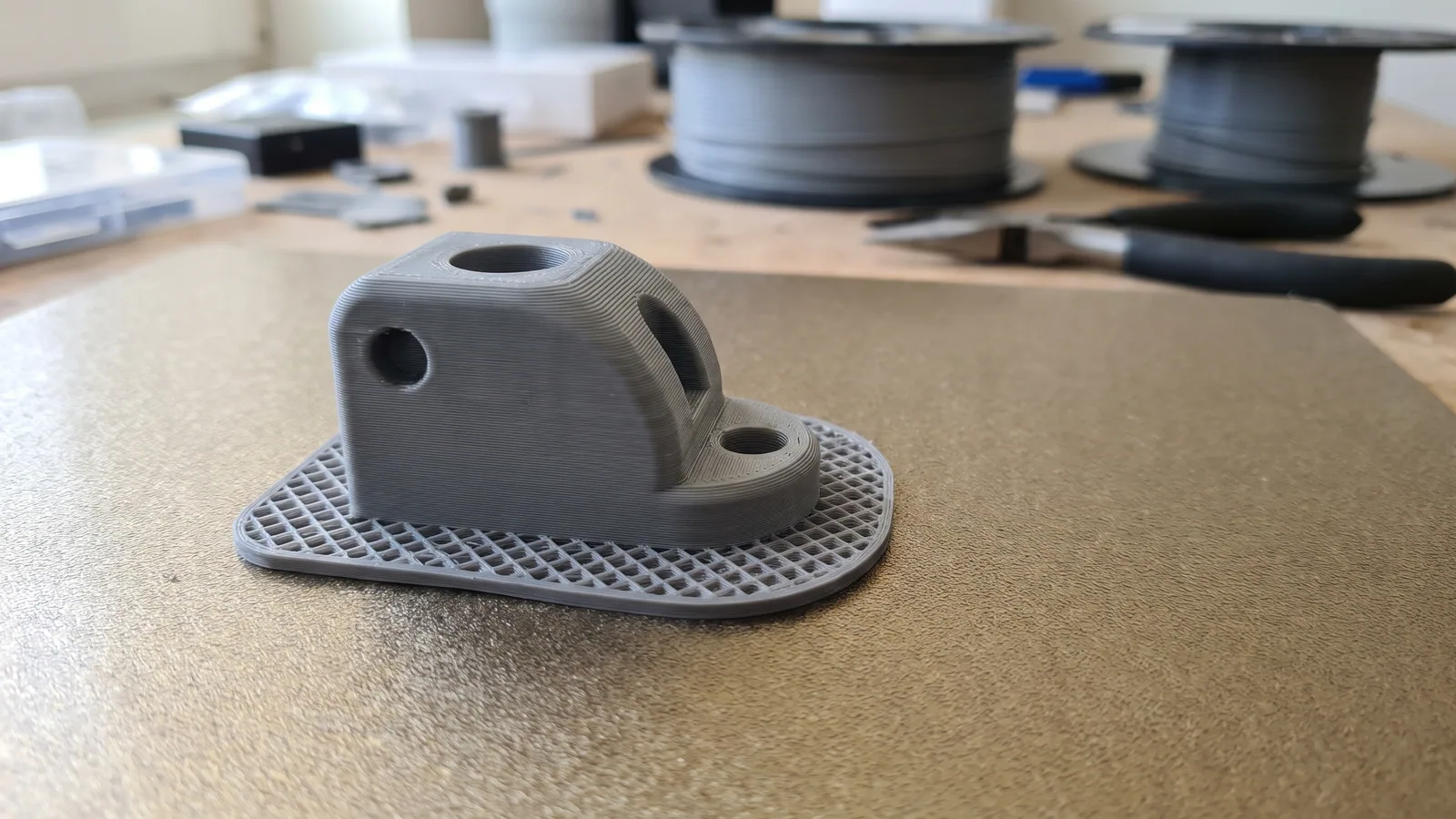
- Add a brim or brim ears. A brim is a thin ring of extra plastic around the base that gives the corners more to hold on to. Brim ears are small round pads on just the corners. More on both below.
- Turn the fan off for the first three layers. Bambu's warping page says that, ideally, the first three layers of PLA, PETG and TPU get no cooling at all. It is the "No cooling for the first X layers" setting on the Cooling tab of the filament settings.
- Stop the drafts. An open window, an air-con vent or a desk fan can cool one side of a print faster than the other. Move the printer or block the airflow. On a closed printer, keep the door and lid shut.
If corners still lift after all six, there are two more slicer changes worth trying on large flat parts: switch the infill to gyroid (a curvy pattern that shrinks evenly in every direction) at 25% or less, and lower the auxiliary side fan if your printer has one.
Does a brim stop warping?
A brim does not stop the plastic shrinking, but it gives the corners far more grip, and that is usually enough. It is one layer thick, joined to the edge of the part, and you peel it off when the print is done. We cover widths, types and clean removal in what is a brim in 3D printing.
For PLA corners lifting, Bambu suggests a brim around 8 to 10 mm wide. If only a couple of sharp corners lift, you do not need a full ring. Set the brim type to "Painted" in Bambu Studio and use the brim ears tool to drop small pads on just those corners. There is more on that in our section on brim ears.
Most prints need neither. A brim is for:
- Big flat parts, where the shrinking pull is spread over a long edge.
- Parts with sharp square corners, which grip the plate least.
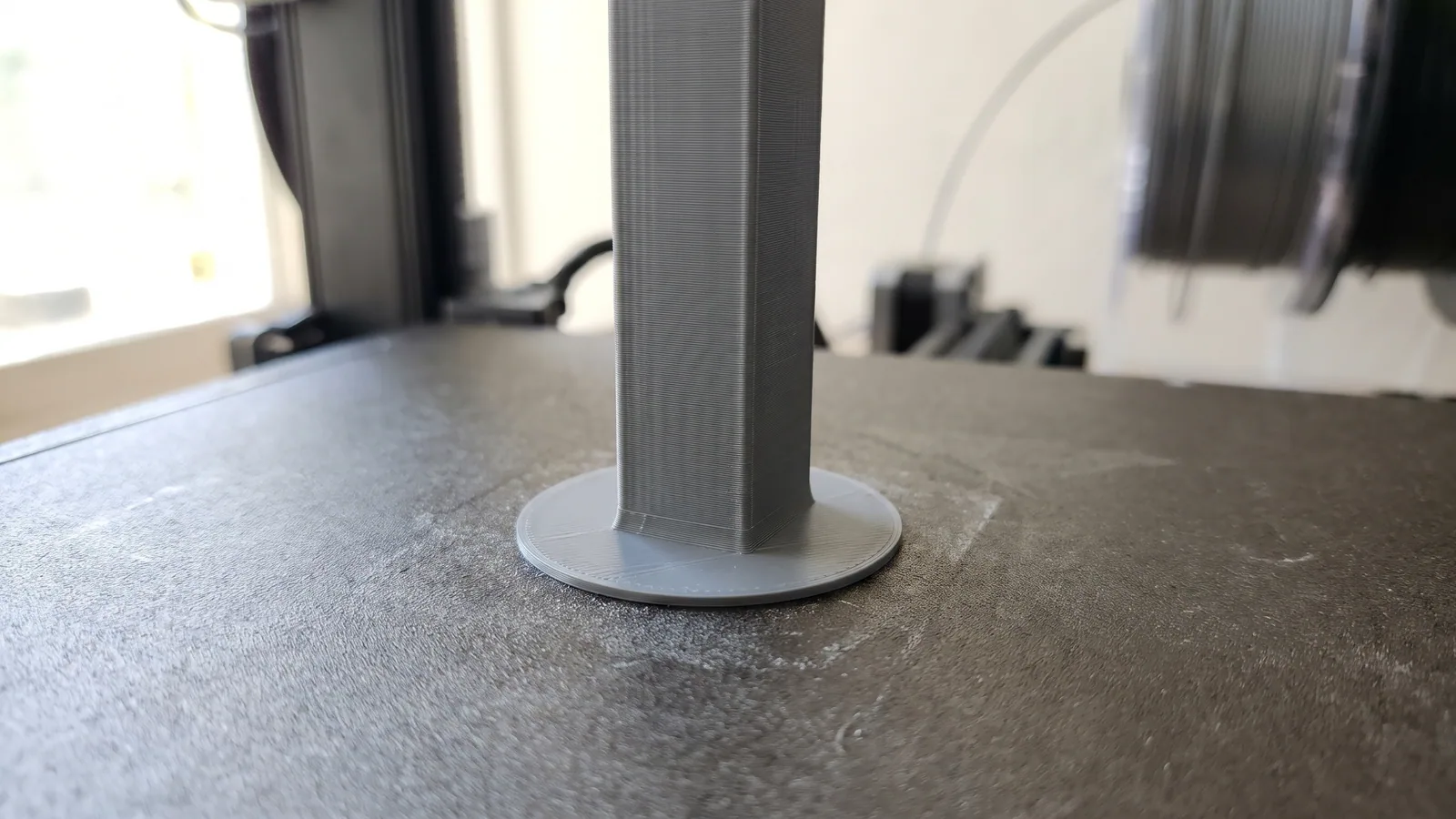
- Tall, thin parts that could be knocked or wobble loose.
- Very small parts with almost no footprint on the plate.
How are our designs set up to avoid warping?
Every 3MF Labs design comes as a 3MF project with the print settings already saved, so we could check exactly what we use. On 12 November we read the settings in all 534 project files across 126 product folders. Here is what they show.
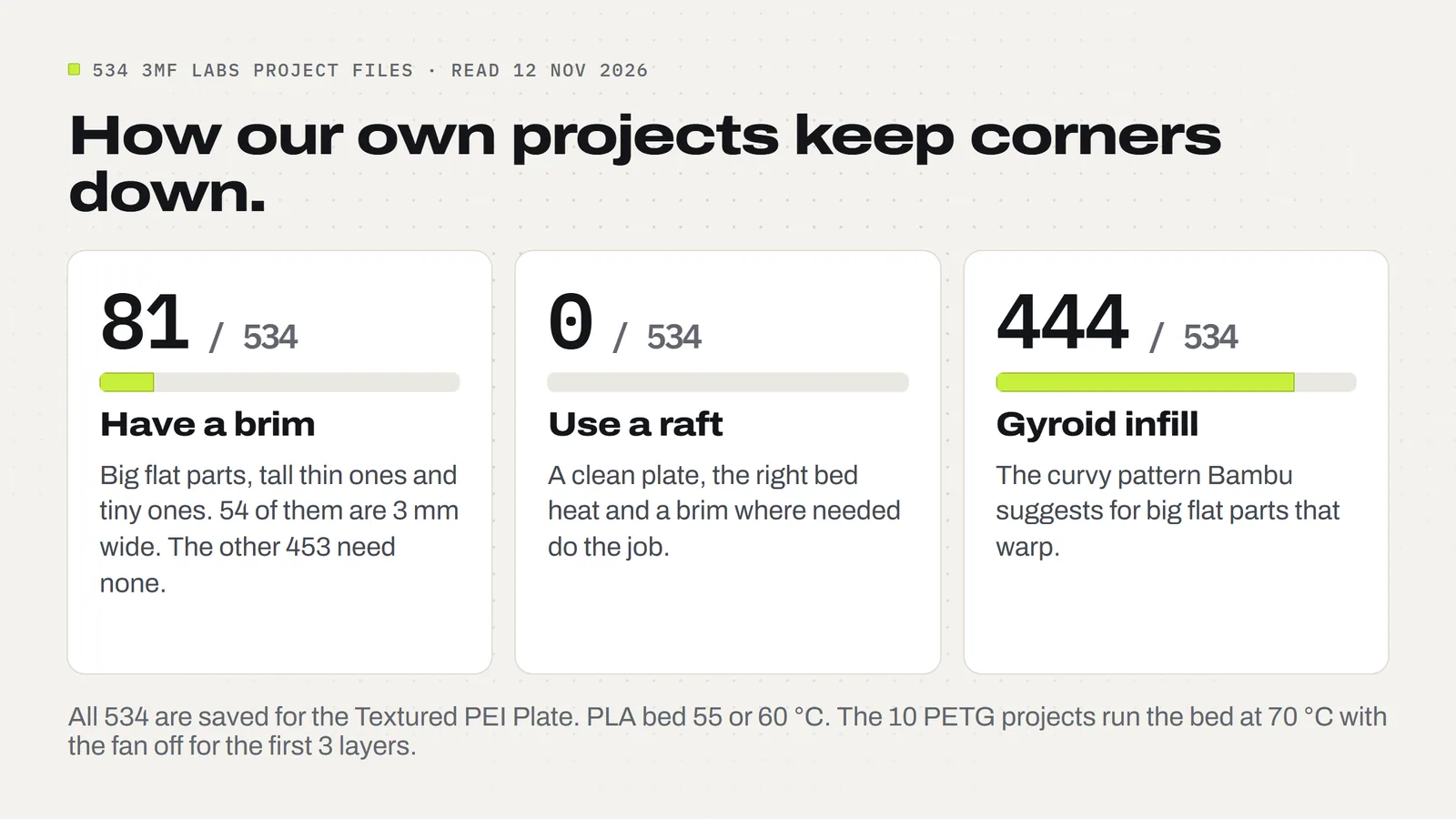
- Every project is saved for the Textured PEI Plate. All 524 PLA projects heat the bed to 55 or 60 °C (372 at 60 °C, 152 at 55 °C). The 10 PETG projects run at 70 °C.
- 81 of 534 have a brim, and 453 do not. All 81 are a plain outer brim. 54 are 3 mm wide and 17 are 8 mm, the wide ones going to tall or tippy parts such as the spinning tops.
- None uses a raft. A raft is a thick mat printed under the whole part. On a clean, heated, level plate it is rarely needed.
- 444 use gyroid infill, the pattern Bambu suggests for parts that tend to shrink.
- The PETG projects keep the part fan off for the first 3 layers and then run it gently, at 30 to 40%. Most PLA projects switch the fan on after the first layer, and 30 keep it off for three.
A good worked example is our Monitor Stand. Its shelf is 42 x 21 cm, printed in two halves so every piece fits a 256 mm plate. That is the classic warping shape: big, flat and square-cornered. The project gives the shelf halves and legs a 3 mm brim, heats the plate to 60 °C, turns the auxiliary fan off, and the print notes say to wash the plate and watch the first layer on the big shelf halves. That is steps 1, 3, 4 and part of 5 from the list above, already done for you.
Our Christmas Light Clips show the PETG side. They are set up in PETG because PLA softens in the sun, with the bed at 70 °C and no fan for the first three layers. They print on their side as small parts, and need no brim.
Why is my PLA warping?
PLA is forgiving, so when it warps there is nearly always a simple cause. In rough order of likelihood:
- A greasy plate. Fingerprints count. Wash it.
- The wrong plate type in the slicer, so the bed is too cool and the first layer is too high.
- A cold room. Bambu Lab says that below 20 °C even PLA and PETG warp, and suggests adding about 10 °C to the bed on an open printer such as the A1.
- A draft from a window, vent or fan.
- A big flat part with no brim.
Wet filament is worth ruling out too. If you hear crackling as it prints or see rough, bubbly or stringy walls, dry the spool first. Our stringing guide covers how.
Why is my PETG warping?
PETG shrinks a little more than PLA and likes a warmer bed. Bambu recommends 60 to 80 °C for PETG on the textured plate, and our PETG projects use 70 °C. The other usual cause is cooling: PETG wants a gentle fan, so keep it off for the first three layers and well below full speed after that.
PETG also sticks very firmly to smooth plates. On a textured PEI plate it releases cleanly once cool, which is one reason all our projects are saved for that plate.
Do you need an enclosure to stop warping?
Not for PLA or PETG. An enclosure keeps warm air around the part, which matters for ABS, ASA, nylon and polycarbonate. Prusa's knowledge base points out that PLA and PETG need plenty of cooling, which is harder in a warm enclosure, so printing them fully closed up is not always a good idea.
What PLA and PETG do need is still air. If the printer sits next to a window or under a vent, a simple cardboard screen or a move to a quieter corner can fix warping that no slicer setting will.
Can you fix a print that has already warped?
Usually not in a way you would want to sell. You can sometimes ease a slightly lifted PLA corner flat with gentle heat, but the part tends to creep back, and it can go soft and lose detail. For a decoration or a gift, reprinting with a washed plate and a brim is faster and more reliable.
If you spot a corner lifting early in a print, it is often worth stopping, fixing the cause and starting again. A corner that lifts a little in the first hour usually lifts a lot by the end.
The short version
- Wash the plate with dish soap and hold it by the edges.
- Make sure the plate type in Bambu Studio matches the sheet on the printer.
- Warm the bed 5 to 10 °C, more in a cold room.
- Add a brim (or brim ears) on big flat or square-cornered parts.
- Keep the fan off for the first three layers.
- Keep the printer out of drafts.
- Stick to PLA or PETG unless you have an enclosed printer.
Or skip most of the setup: every 3MF Labs design comes as a ready-made 3MF project with the plate type, bed temperature, brim and cooling already saved, plus STL files for any other slicer. If you are new to project files, start with what a 3MF file is and Bambu Studio for beginners. Whatever you print from our files, our license lets you sell the physical prints you make.
Designs from this guide
 $3.79
3ML-070 · Monitor riser
Monitor Stand
A softly rounded desk riser that lifts your monitor 10 cm, with room to slide a keyboard underneath and a notch at the back for the cables. It goes together by hand: no screws, glue or tools. STL + 3MF · 260 KB View model $2.49
3ML-045 · Light clips
Christmas Light Clips
Four one-piece clips for hanging outdoor string lights on gutters, shingles and round porch rails, with no nails, screws or tools. STL + 3MF · 6.2 MB View model $3.79
3ML-058 · Coffee pod organizer
Coffee Pod Drawer
Stackable pull-out drawers that hold 12 single-serve coffee pods each, plus a matching loose tray. STL + 3MF · 624 KB View model $3.79
3ML-025 · Tealight houses
Village Tealight Houses
Four snowy little village houses that glow: a red cottage, an ivory church, a green shop and a gingerbread house, each with a lift-off snow roof over a battery LED tealight. STL + 3MF · 14 MB View model $2.49
3ML-056 · Spinning tops
Spinning Tops Set
Five chunky finger-spun tops, from a classic onion top to a flip top that turns over and a little Christmas tree. STL + 3MF · 32 MB View modelQuestions
What causes warping in 3D printing?
Plastic shrinks as it cools. Each new layer pulls inward on the cooler layers below it, and the corners and long edges, which grip the plate least, curl up first. Cold rooms, drafts, too much fan early on, a greasy plate or a bed that is too cool all make it worse.
How do I stop my 3D prints from warping?
Wash the build plate with dish soap, make sure the plate type in your slicer matches the sheet on the printer, raise the bed 5 to 10 °C, add a brim or brim ears to big flat parts, turn the part fan off for the first three layers and keep the printer away from drafts.
Does a brim stop warping?
A brim does not stop the plastic shrinking, but it gives the corners much more grip, which is usually enough. Bambu Lab suggests a brim about 8 to 10 mm wide for PLA corners that lift, or brim ears on just the corners that need them.
Why is my PLA warping?
Usually a greasy plate, the wrong plate type selected in the slicer, a draft, a big flat part with no brim, or a cold room. Bambu Lab says that below 20 °C even PLA can warp and suggests adding about 10 °C to the bed on an open printer.
What bed temperature stops PLA warping?
On a Bambu textured PEI plate, Bambu Lab suggests 55 to 65 °C when PLA corners lift. Our 524 PLA project files are saved at 55 or 60 °C. In a cold room, a few degrees more helps.
Why does PETG warp?
PETG shrinks a little more than PLA and needs a warmer bed and gentler cooling. Bambu recommends 60 to 80 °C on the textured plate; our PETG projects use 70 °C with the part fan off for the first three layers and 30 to 40% after that.
Do I need an enclosure to stop warping?
Not for PLA or PETG, which print fine on an open printer if the room is free of drafts. ABS, ASA, nylon and polycarbonate are a different story: large flat parts in those almost always warp without an enclosure.
Can you fix a 3D print that has already warped?
Rarely well enough to sell. Gentle heat can ease a slightly lifted PLA corner, but it tends to creep back and can soften details. Reprinting with a clean plate and a brim is faster and more reliable.
Sources
Filed under Printing and slicing