Bambu Textured PEI Plate: Care, Cleaning and When to Replace It
The gold textured sheet on a Bambu printer needs very little: soap and water, the right bed temperature and some patience when a print finishes. Here is how to look after it, with the settings saved in our own projects.
The gold, slightly rough sheet that sits on your Bambu printer's bed is the textured PEI plate. It is the surface every print starts on, and it is the one part of the printer you handle after every single job. Treat it well and it quietly works for a long time. Treat it badly and prints stop sticking, usually the night before a craft fair.
This guide covers what the plate is, the bed temperatures Bambu Lab recommends for it, how to wash it properly, how to get prints off without damage, and how to tell a dirty plate from a worn-out one. The worked numbers come from our own ready-to-print designs, all of which are saved for this plate.
What is the Bambu textured PEI plate?
It is a thin, flexible steel sheet with a rough coating of PEI baked onto it. PEI is a tough plastic that melted filament grips when it is warm and lets go of when it cools. The sheet is held on the printer's bed by magnets, so you can lift it off, flex it to release a print, and drop it back on.
Bambu Lab's own product page gives the numbers: the PEI layer is 0.075 mm thick on a stainless steel sheet 0.4 or 0.5 mm thick, and the surface is rated up to 180 °C. That coating is thinner than a sheet of paper, which is why how you clean and scrape it matters.
The "textured" part is the fine, sandpaper-like grain. Whatever touches the plate takes on that grain, so the bottom of your print comes out with an even matte finish that hides small flaws and fingerprints. For things you sell, such as coasters, earrings and ornaments, that matte bottom face looks finished without any sanding.
The plate comes in three sizes to match the printer: 180 × 180 mm for the A1 mini, 256 × 256 mm for the A1, P1 and X1 series, and a 350 × 320 mm sheet for Bambu's larger machines. If you are not sure what fits your printer, our guide to the A1 mini build volume explains how to check a design against your bed.
What bed temperature should you use on a textured PEI plate?
The bed temperature is how warm the plate gets while printing. Warmer means more grip. Bambu Lab publishes a recommended range for each plastic on this plate, and whether it wants glue stick as well:
| Filament | Bambu's bed temperature | Glue stick needed? | What our projects save |
|---|---|---|---|
| PLA | 45 to 60 °C | No | 55 or 60 °C |
| PETG | 60 to 80 °C | No | 70 °C |
| TPU (flexible) | 35 to 45 °C | No | Not used |
| ABS and ASA | 90 to 100 °C | Yes | Not used |
You rarely need to type these in. In Bambu Studio the bed temperature comes from two choices: the plate type menu and the filament you pick. Choose "Textured PEI Plate" and the right filament, and the slicer fills in a sensible number. A ready-made 3MF project goes one step further and carries the setting inside the file.
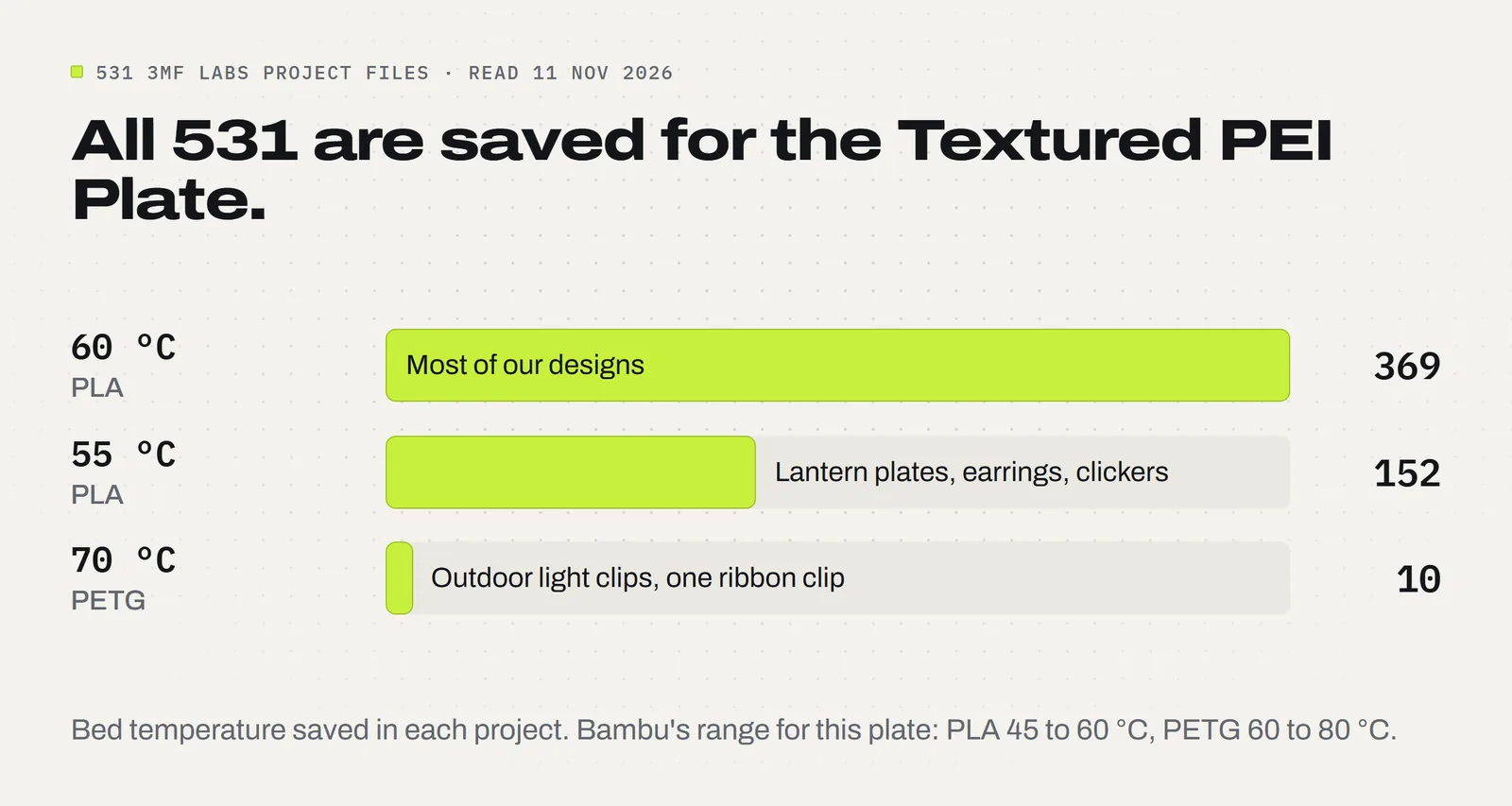
Here is our original number. We read the saved settings in all 531 3MF project files in our product folders on 11 November 2026. Every one of them, 531 out of 531, is saved for the Textured PEI Plate. Of those, 369 hold the bed at 60 °C and 152 at 55 °C, all PLA. The other 10 are PETG at 70 °C: the nine Christmas Light Clips projects, which live outdoors, and the Bow Maker Clip. All of them sit inside Bambu's ranges.
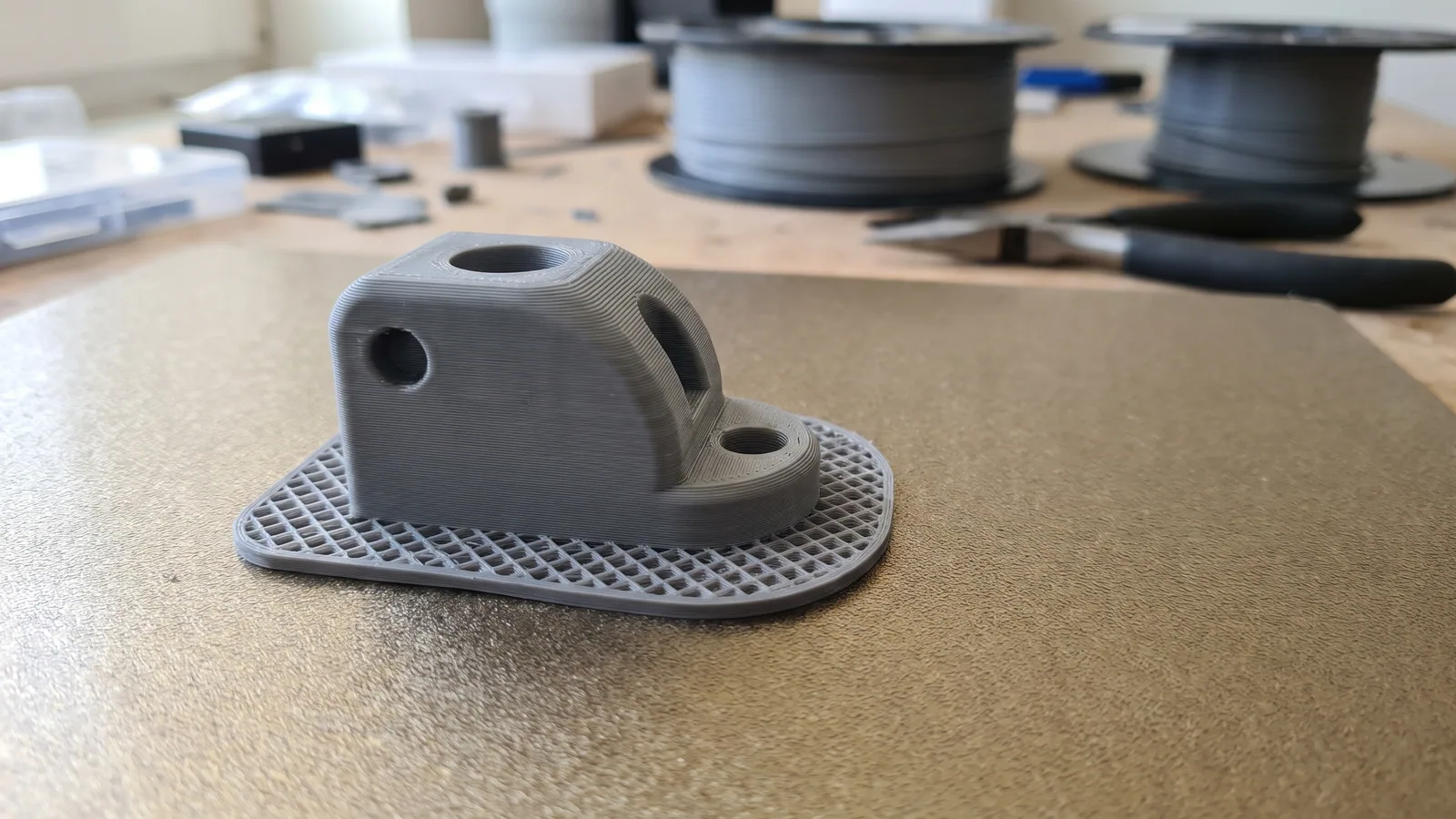
If a clean plate still will not hold a part, Bambu's advice is to raise the bed temperature slightly. Go up 5 °C and test once. Do not keep climbing: Bambu warns that too much bed heat with PLA or PETG can cause clogs and "elephant foot", which is when the bottom layers squash outward and the base of the part ends up wider than it should be.
How do you clean a Bambu textured PEI plate?
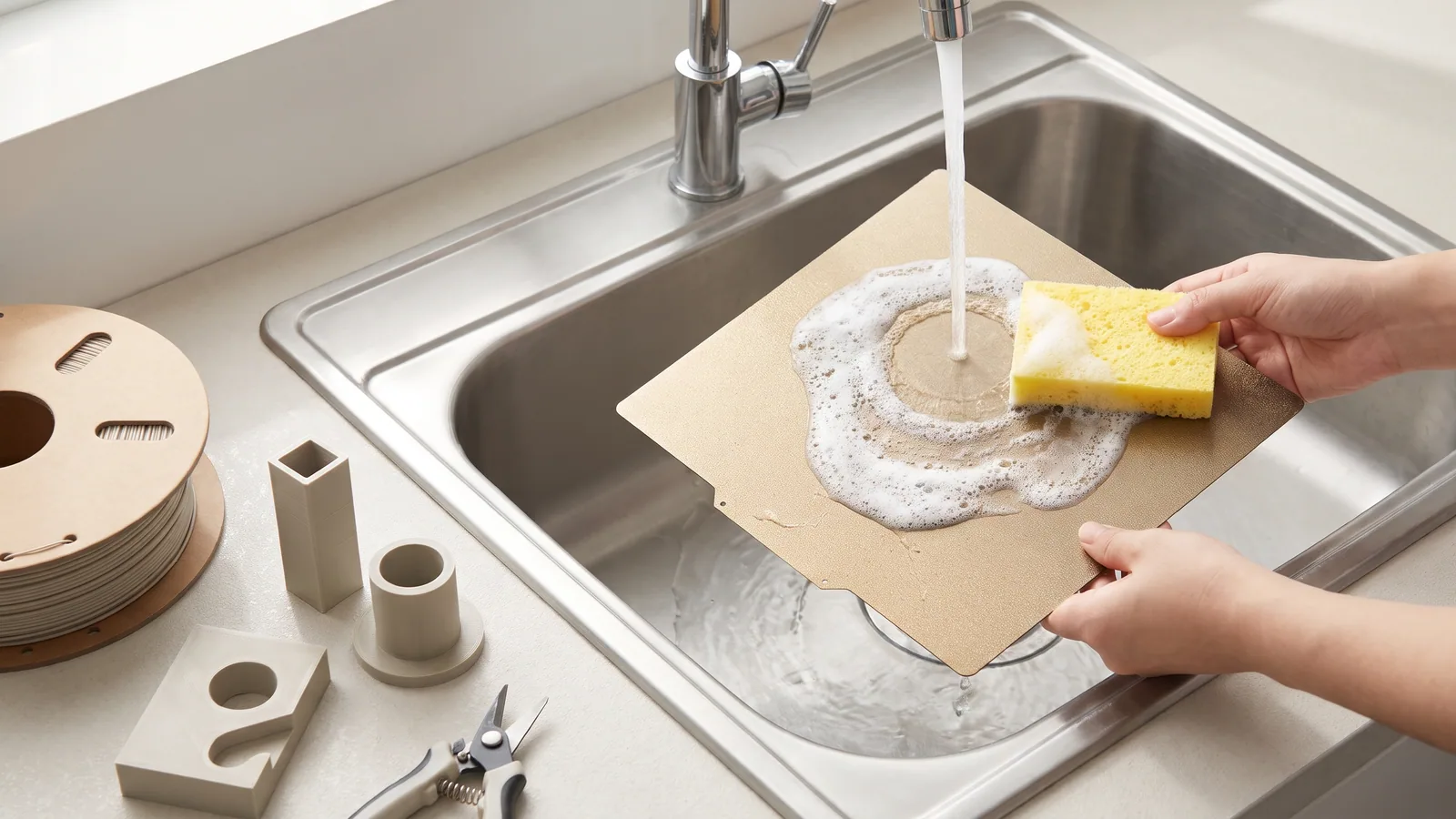
With dish soap and warm water, in the sink. That is Bambu Lab's own instruction, and it is the single most useful habit in 3D printing.
The reason is the texture. Dust from the air and oil from your fingers settle into the tiny valleys of the grain, where you cannot see them. Bambu's cleaning guide says alcohol tends to spread that oil around the surface instead of lifting it, while detergent breaks it down and a sponge carries the soap into the texture.
- Let the plate cool and take it off the printer. Never wash a hot plate.
- Wet it under warm running water.
- Add a few drops of plain dish soap. Bambu says to avoid soaps with added oils or moisturizers, because they leave a film behind.
- Scrub the whole surface until it foams. Use a kitchen sponge or a soft plastic brush so the soap gets down into the grain.
- Rinse well and dry it fully with a clean paper towel.
- Put it back holding only the edges.
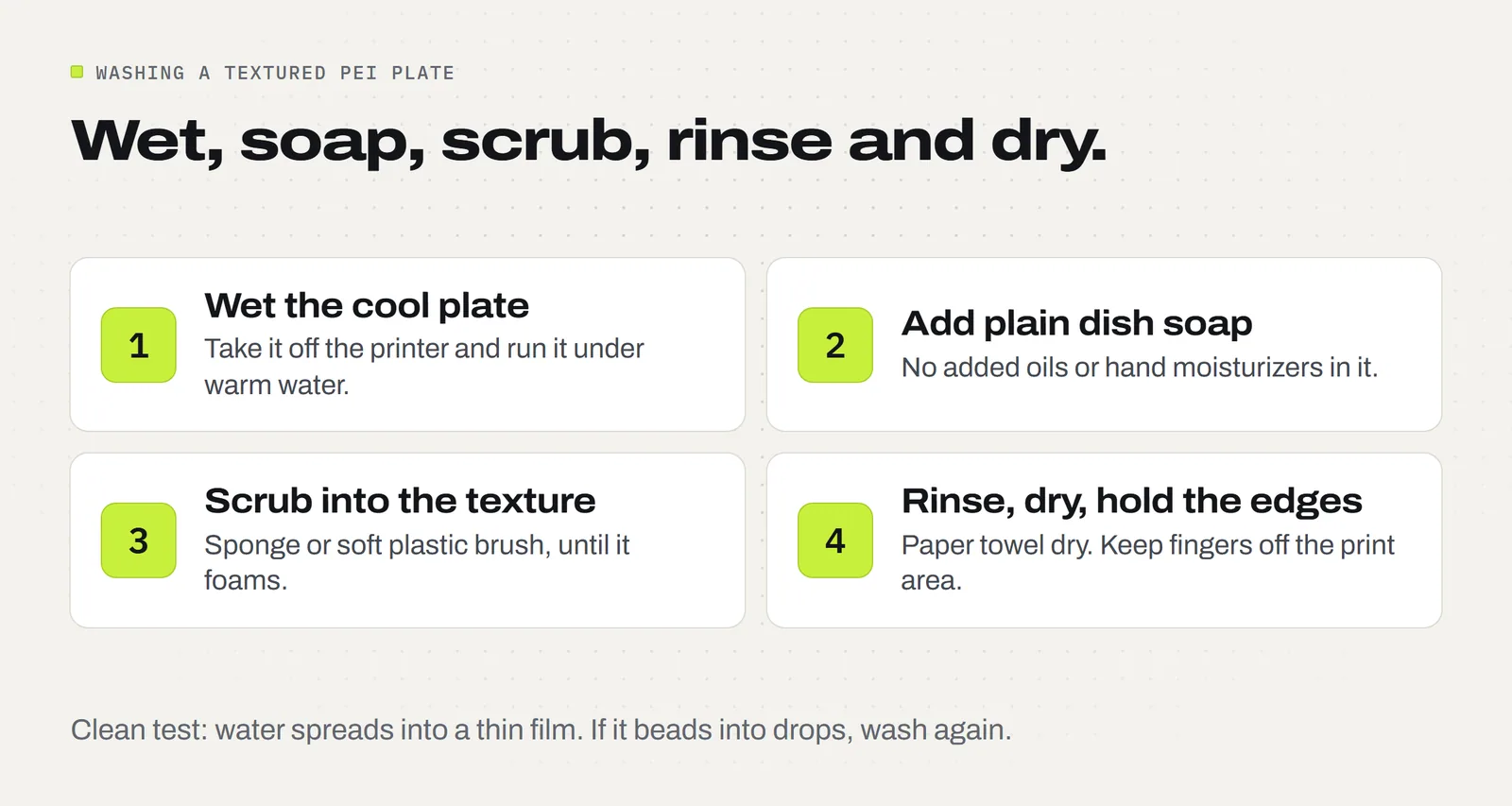
Bambu also describes a simple test. Run water over the plate and watch it. On a dirty plate the water pulls into beads and runs off in streams. On a clean plate it spreads into a thin, even film. If you still see beads, wash it again.
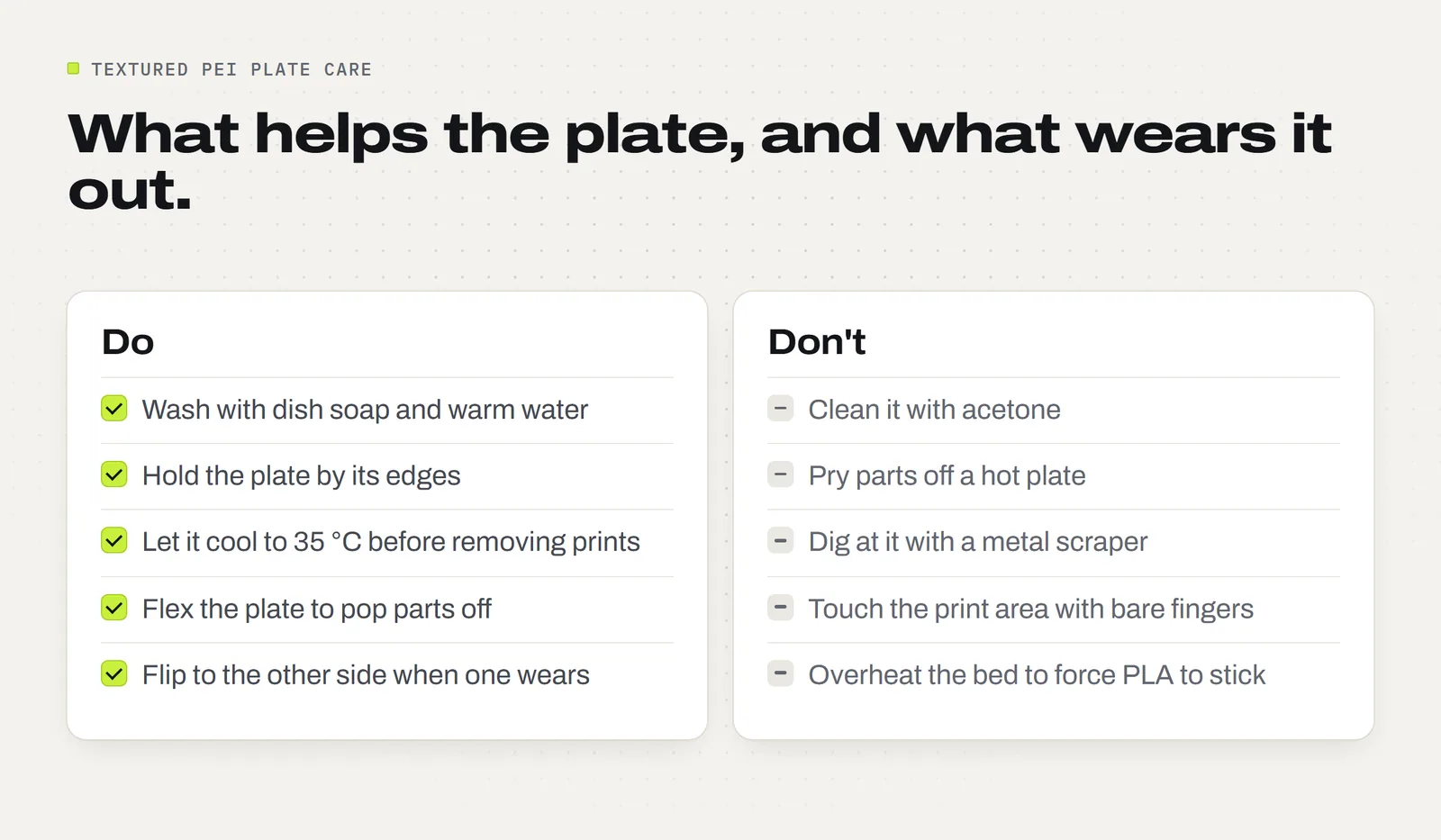
Do not use acetone (nail polish remover) on a textured PEI plate. Bambu Lab states that it will damage the PEI surface.
How often should you wash the plate?
There is no fixed number of prints. Wash it when any of these happen:
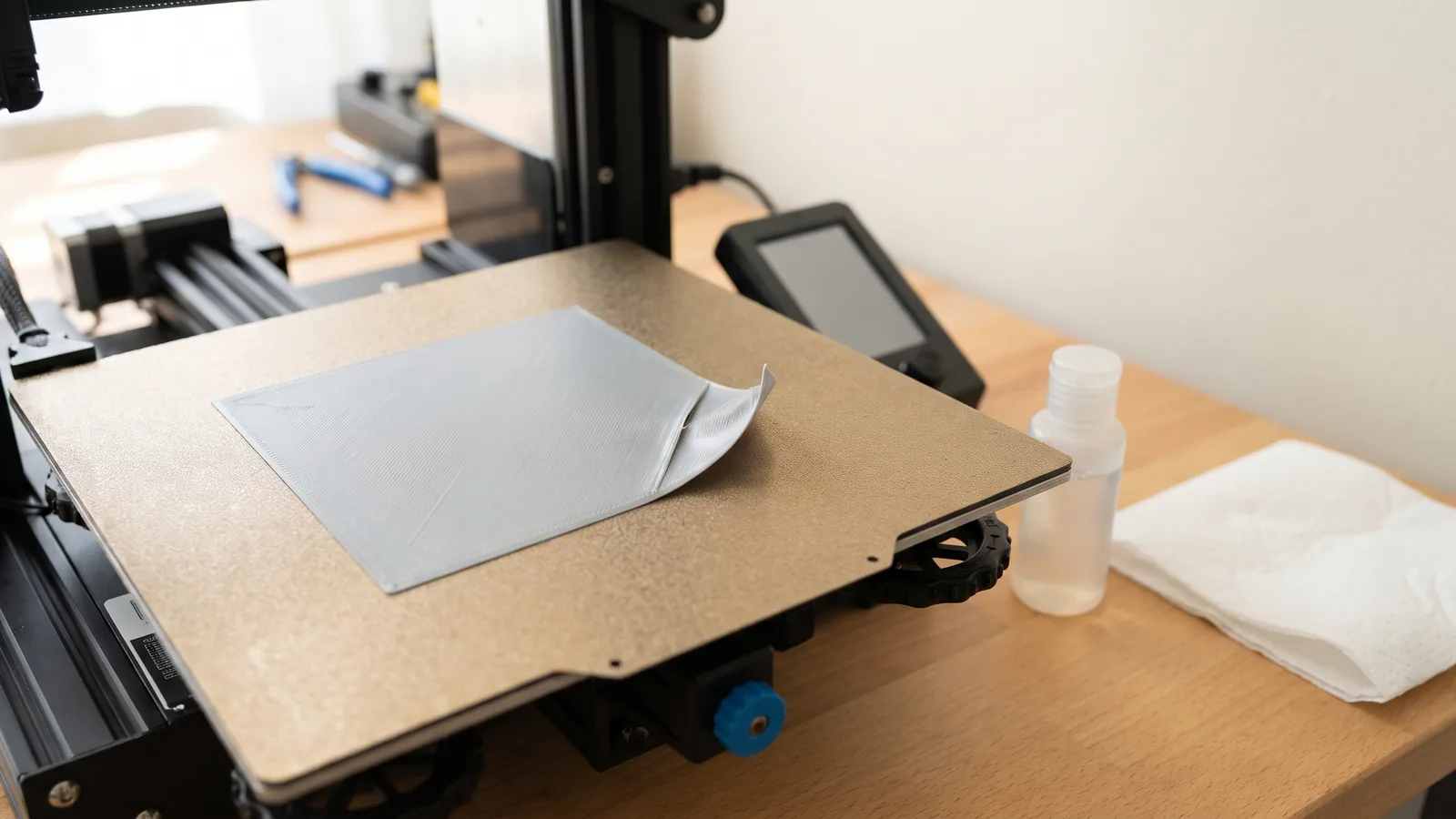
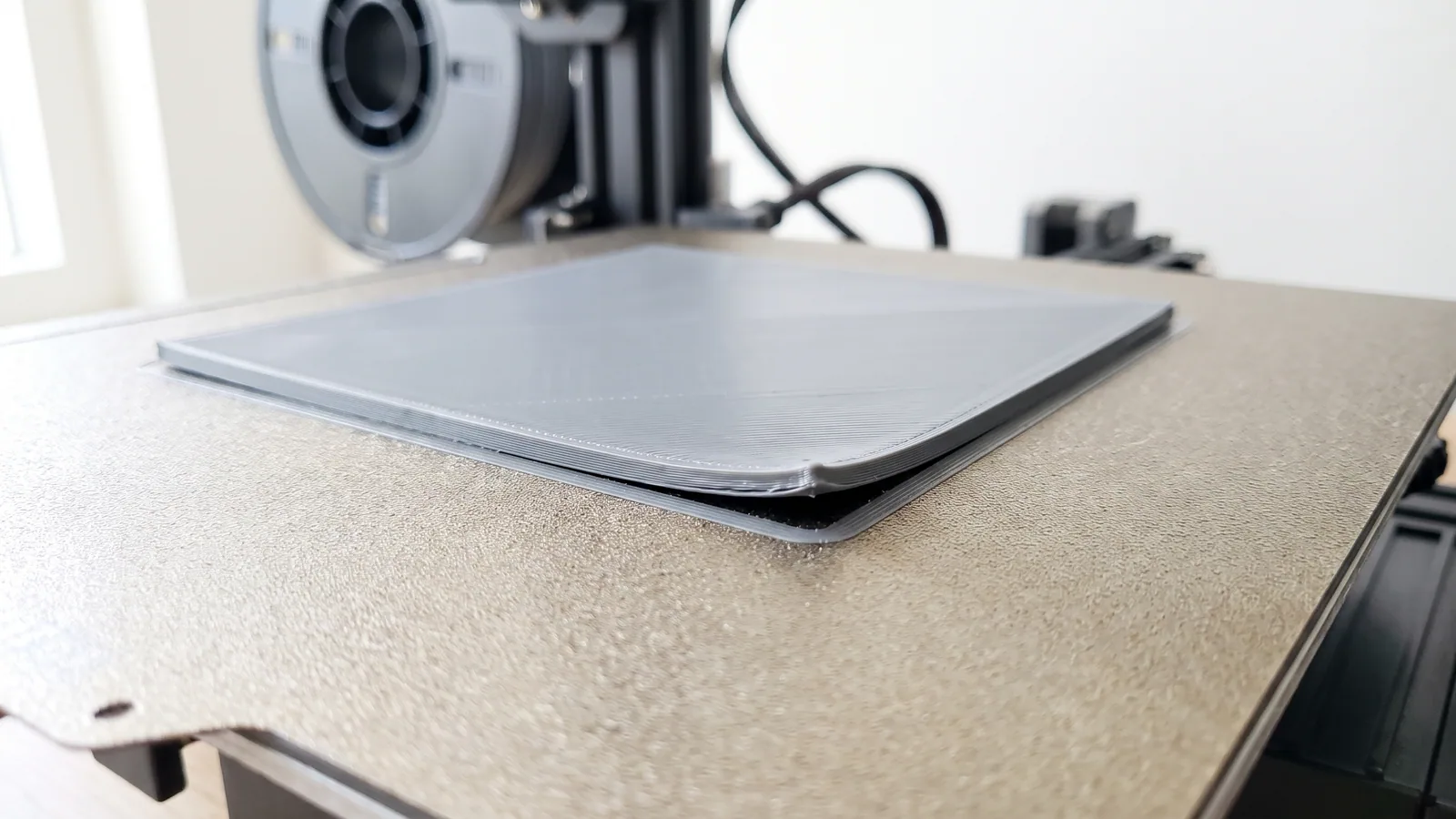
- A first layer lifts or drags in a spot that worked last week.
- Someone has touched the print area with bare hands.
- The plate has sat uncovered for a few weeks and gathered dust.
- You are about to start a long print or a full plate of parts to sell.
That last one is cheap insurance. A two-minute wash costs nothing. A failed plate of 20 light clips costs filament and an evening. If prints still will not stick after a wash, work through our checklist for a 3D print that is not sticking to the bed, which covers the other causes.
Do you need glue stick on a textured PEI plate?
For PLA and PETG, no. Bambu's table lists both as "no glue stick required" on this plate. A clean textured plate at the right temperature grips these two plastics on its own.
Bambu does list glue stick as required for hotter plastics such as ABS, ASA, nylon and polycarbonate. Most home sellers never print those. If you do use glue, Bambu recommends its own glue for its plates and says it is not responsible for damage from other brands, so treat any other glue as your own risk and wash it off afterwards.
If you are choosing between the two everyday plastics, our PLA vs PETG guide covers which one suits what you make.
How do you remove prints without damaging the plate?
Wait. PEI lets go as it cools, so patience does most of the work. Bambu recommends waiting until the bed is at 35 °C or lower before you take a print off. The printer's screen and the Bambu Handy app both show the bed temperature.
- Let the bed cool to 35 °C or below. Small parts often release with a faint click.
- Lift the plate off the printer by its edges.
- Flex it gently, first one way and then the other. Most parts pop free.
- For a part that still holds, slide a scraper under one corner, keeping the blade flat to the plate. Never stab downward.
Prying parts off a hot plate is the fastest way to wear the coating, and it can bend a thin part before it has hardened. If a part has a brim, lift the part and brim off together and peel the brim away afterwards.
Is the plate worn out, or just dirty?
Nearly always it is just dirty, so wash it first. A worn plate looks and behaves differently:
- The same patch fails on every print, even straight after a wash, while the rest of the plate grips fine.
- You can see a smooth, shiny or scratched area where the grain has gone.
- The texture pattern on the bottom of your prints has a bald spot in the same place each time.
One mark is normal. Before each print the nozzle rubs itself clean on one small wiping area of the plate. Bambu says the coating there wears with time, that this is expected, and that it does not affect print quality. Wear inside the area where parts print is the kind that counts.
Bambu's product page also mentions a last resort for a tired surface: sanding it carefully with fine sandpaper, around 600 grit, can bring back some grip. Wash the dust off well afterwards. Treat this as a way to get a little more life from an old plate, not as routine care, because every pass removes some of a very thin coating.
When should you replace a textured PEI plate?
Replace it when washing, a small temperature bump and moving the part no longer give you a reliable first layer. In order:
- Wash it and run the water test.
- Move the part. In Bambu Studio, drag it to a fresh area of the plate. Most people wear out the center first.
- Flip the plate. Bambu's troubleshooting page says that if one side no longer holds, try the other side and keep using the plate if it prints well.
- Replace it when both sides have gone.
Bambu describes the plate as a consumable part that degrades over time. Its warranty covers manufacturing defects on arrival, not scratches or wear. A replacement was listed from $15.99 on Bambu's US store when we checked on 11 November 2026, with a typical price of $19.99. That is less than the filament a worn plate wastes in a week of failed first layers, so if you print to sell, keep a spare.
Bambu does not publish a lifespan in prints or hours, and we will not invent one. How long a plate lasts depends on how often you scrape it and how hot you run it.
Textured PEI or a smooth plate: which is better?
Neither is better. They give different bottom faces. A textured plate leaves a matte, grainy bottom and releases easily when cool. A smooth plate leaves a flat, glossy bottom that shows every scratch and speck of dust. Bambu also sells a Dual-Texture plate with a textured side and a smooth side, if you want both in one sheet.
If you print on a different plate than the one a project was saved for, change the plate type menu in Bambu Studio before you slice, because the bed temperature follows that choice. Our Bambu Studio beginner's guide shows where the menu is.
For our designs the choice is already made. Every project is saved for the textured plate, so if that is the sheet on your printer, open the file and print. The plate, colors and settings come saved in the 3MF project, the STL files are there for any other slicer, and the license lets you sell the physical prints you make.
A quick plate care checklist
- Hold the plate by its edges, always.
- Wash with plain dish soap and warm water when a first layer misbehaves, and before big jobs.
- Check for a thin film of water, not beads.
- Leave the plate type on Textured PEI Plate and the bed inside Bambu's range for your filament.
- Let the bed cool to 35 °C before removing prints, then flex.
- No acetone, and no prying on a hot plate.
- When a patch stops gripping after a wash, move the part, then flip the plate, then replace it.
That is all the care the plate asks for. If you would like something to print on a freshly washed plate, browse the 3MF Labs designs, and see the FAQ for what comes in each download.
Designs from this guide
 $2.49
3ML-045 · Light clips
Christmas Light Clips
Four one-piece clips for hanging outdoor string lights on gutters, shingles and round porch rails, with no nails, screws or tools. STL + 3MF · 6.2 MB View model Free
3ML-035 · Craft tool
Bow Maker Clip
A slim clip for making boutique hair bows: it holds your folded ribbon while you tie the center through its open-ended slot. STL + 3MF · 179 KB View model $3.79
3ML-094 · Coaster set
Christmas Coasters
Four festive drink coasters, a snowflake, a Christmas tree, a gingerbread man and an ornament, with an open-front holder they stack in. STL + 3MF · 2.5 MB View model $3.79
3ML-028 · Earring collection
Christmas Earrings
Four pairs of Christmas earrings: gingerbread men, candy canes, snowflakes and Christmas trees. STL + 3MF · 4.0 MB View model $3.79
3ML-021 · Ornament set
Christmas Ornament Set
Six flat layered tree ornaments with bold black outlines: a snowflake, a snowman, a candy cane, a gingerbread man, a Christmas tree and a blank name banner you personalize. STL + 3MF · 8.7 MB View model $2.49
3ML-012 · Lantern frame
Modular Lantern Frame
The Modular Lantern's frame, roof and carry handle. Print it once, then slide in a set of panels for every season. STL + 3MF · 2.0 MB View modelQuestions
How do you clean a Bambu textured PEI plate?
Take the cool plate to the sink, wet it, add a few drops of plain dish soap and scrub the whole surface with a sponge or soft plastic brush until it foams. Rinse, dry with a paper towel and handle it by the edges. This is the method Bambu Lab recommends.
Can you use isopropyl alcohol on a textured PEI plate?
It will not harm the plate, but Bambu Lab's cleaning guide says alcohol can spread oil around the textured surface instead of removing it. Dish soap and a sponge work better because the soap breaks down grease and the sponge reaches into the texture.
Can you use acetone on a Bambu textured PEI plate?
No. Bambu Lab states that acetone will damage the PEI surface of the textured plate. Use dish soap and warm water instead.
What bed temperature should PLA use on a textured PEI plate?
Bambu Lab recommends 45 to 60 °C for PLA on the textured PEI plate, with no glue stick. Our own 521 PLA project files are saved at 55 or 60 °C. For PETG, Bambu recommends 60 to 80 °C.
Do you need glue stick on a Bambu textured PEI plate?
Not for PLA or PETG. Bambu Lab's settings table lists both as needing no glue stick on this plate. Bambu does list glue as required for hotter plastics such as ABS, ASA, nylon and polycarbonate.
Why are my prints not sticking to the textured PEI plate?
The usual cause is oil or dust in the texture, so wash the plate with dish soap first. If a clean plate still fails, check that the plate type in Bambu Studio is Textured PEI Plate, raise the bed 5 °C, or add a brim to small or tall parts.
How long does a Bambu textured PEI plate last?
Bambu Lab calls it a consumable part that degrades over time and does not publish a lifespan. It lasts longest if you wash it, let it cool before removing prints and avoid scraping. When one side wears, flip it and use the other.
Is the Bambu textured PEI plate double sided?
Bambu Lab's troubleshooting page says that if one side of the textured PEI plate no longer holds prints, you can try the other side and keep using the plate. Bambu also sells a separate Dual-Texture plate with one textured and one smooth side.
Sources
Filed under Printing and slicing