Do You Need an AMS? One-Color, Filament-Swap and Multicolor Prints Explained
An AMS is the box that swaps filament for you. Plenty of colorful prints don't need one. Here is how to tell which do, how to fake the rest with a pause, and what full color really costs in hours and grams.
The question usually arrives right after someone falls for a colorful design: "Do I need an AMS to print this?" Sometimes the honest answer is yes. More often it's no, or "not if you're willing to stand by the printer for two minutes." And sometimes it's "you could, but one color is the better deal."
This guide explains what an AMS is, how to tell from a picture whether a design needs one, and how to get color without one. The examples are our own designs, and every print time and filament weight below comes from their project files or model pages, so you can see the real cost of full color instead of guessing. If you're browsing first, every design on our models page says on its page whether full color needs an AMS.
New to the files themselves? What a 3MF file is explains why the colors and plate are already set up when you open one of our downloads.
What is an AMS?
AMS stands for Automatic Material System. It's Bambu Lab's box of spools that sits next to or on top of the printer, feeds filament into it, and swaps between spools by itself in the middle of a print. Most units hold four spools, so a single unit gives you up to four colors in one print without touching the machine.
There are a few versions, and they matter mainly because they don't all fit every printer:
- AMS lite: four spools, made for the A1 and A1 mini. An A1 connects one AMS lite, so it tops out at four colors.
- AMS 2 Pro: four spools, and it can also dry filament. Bambu lists it as working across its printers, with an adapter or hub needed on some models.
- AMS HT: a single spool with drying, meant for heat-hungry materials and for adding extra slots. On the bigger H2 printers you can chain several units for up to 24 filaments.
Other brands have their own versions of the same idea, under different names. The principle in this guide is the same for all of them: something has to switch filament for you, fast and many times, whenever two colors share a layer. Check your printer maker's own page for exactly which unit fits your model, because the list keeps changing as new printers come out.
Do you need an AMS to print in multiple colors?
Not always. A 3D printer builds an object in thin layers, one on top of another, like a stack of paper. Whether you need an AMS depends on one thing: do two colors ever appear in the same layer?
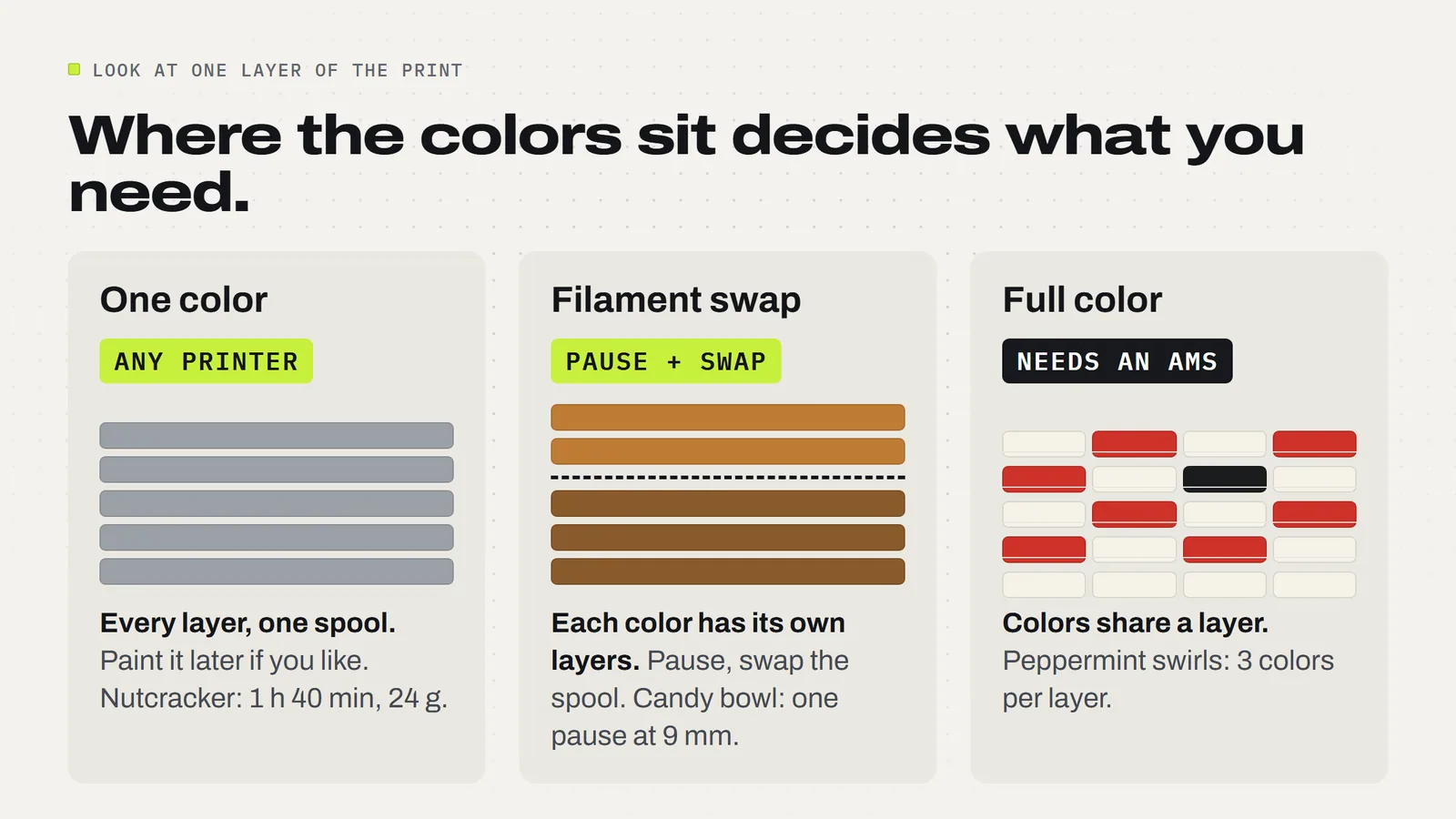
That gives you three cases:
- One color. Every layer uses the same spool. Any printer can do it. You can paint details afterwards if you like.
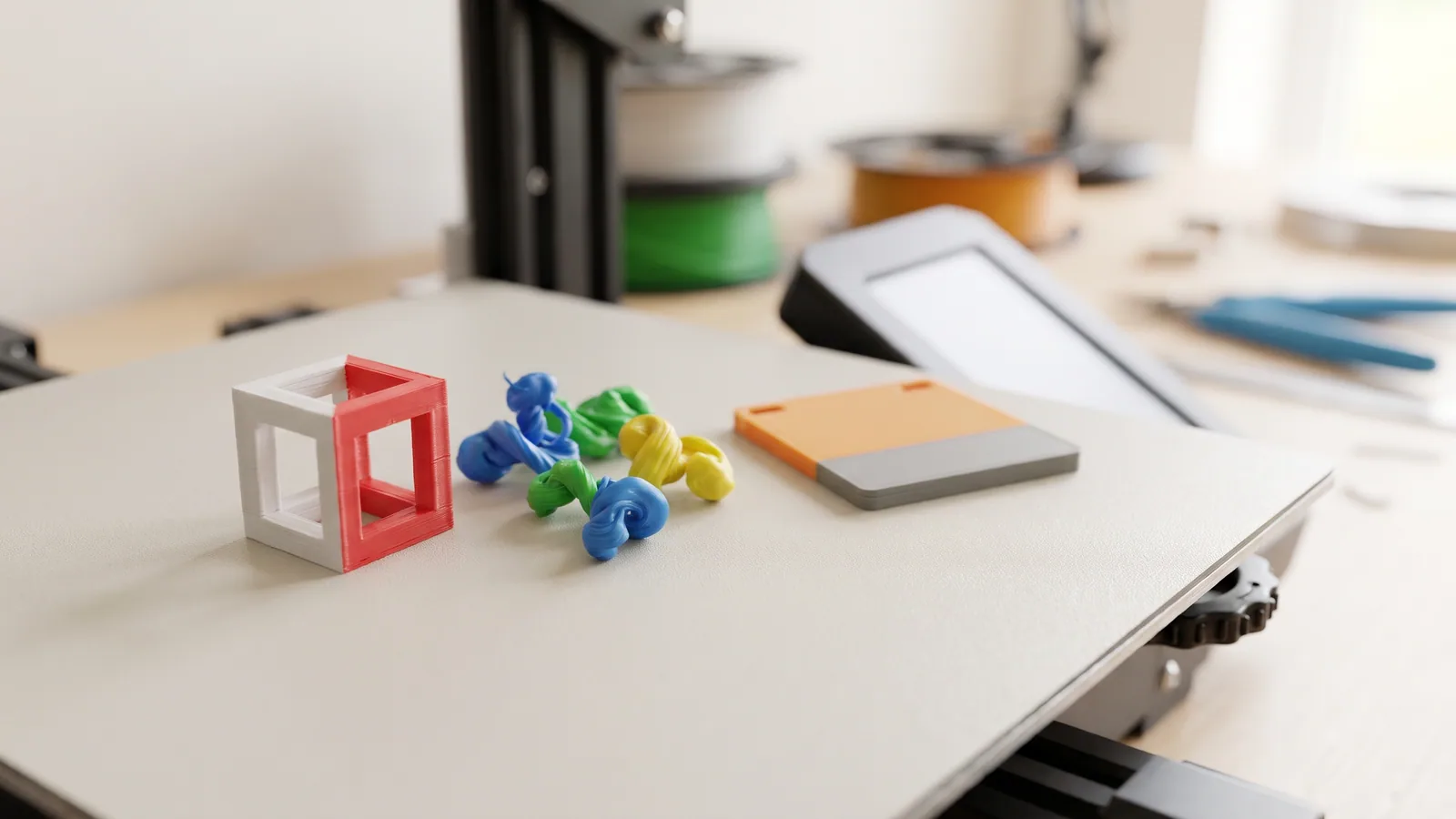
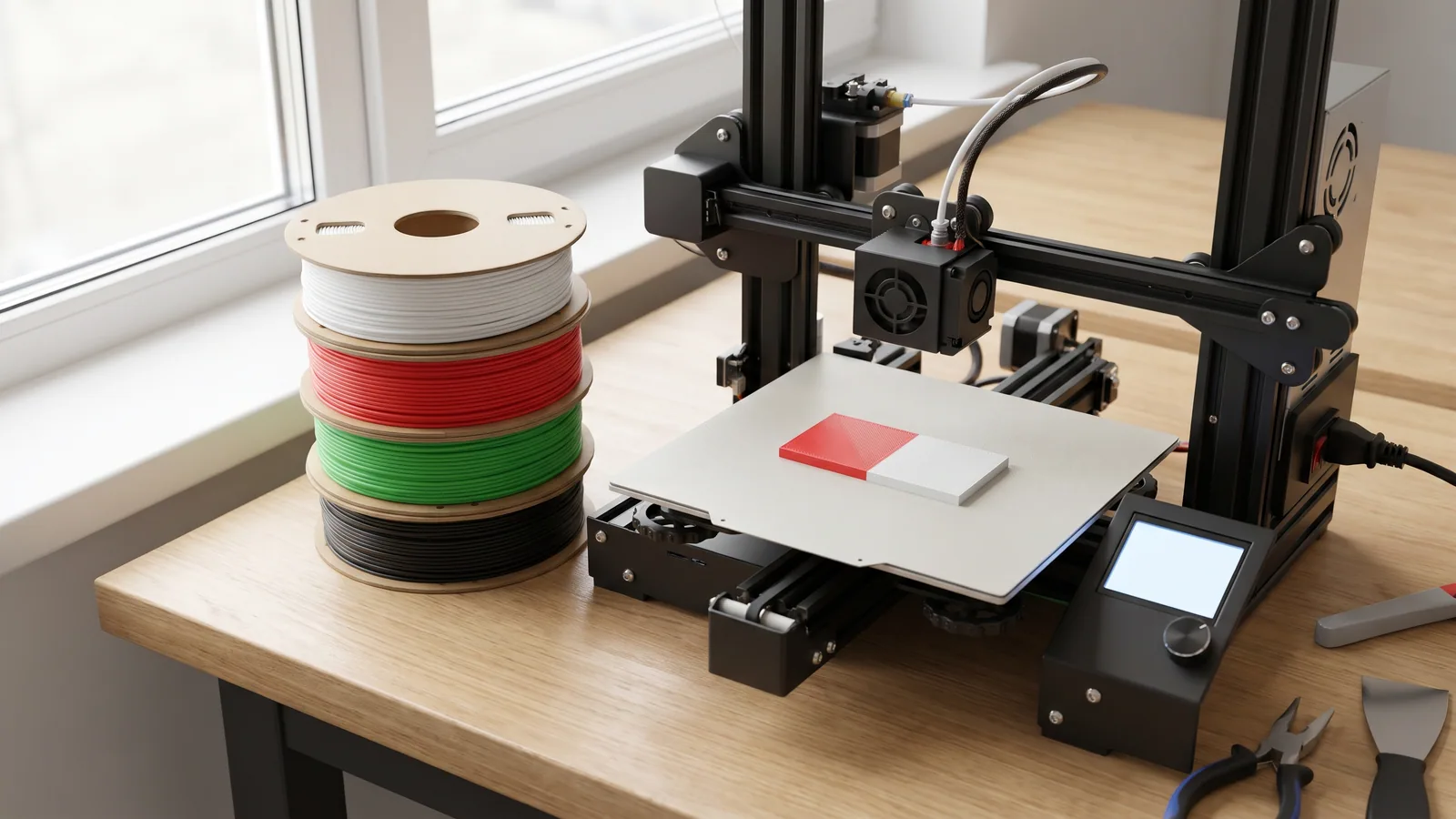
- Colors in bands. The bottom layers are one color, the next layers another. The printer pauses at the right height, you swap the spool by hand, and it carries on. Any printer that can pause can do it.
- Colors side by side. Red and white sit next to each other in the same layer, like the swirls on a peppermint. The printer has to switch filament back and forth on every layer, sometimes hundreds of times. That's AMS work. Doing it by hand would mean standing at the machine all night.
So the useful habit is to look at a multicolor design and ask whether the colors are stacked or side by side. Flat ornaments, earrings, lantern panels and signs are usually stacked. Figures, rounded keychains and anything with stripes running up the side are usually side by side.
How can you tell if a design needs an AMS?
The quickest way is to read the model page. Ours say it in plain words, and a good designer anywhere will too. Here is how a handful of our designs sort out:
| Design | Colors | How the colors sit | Without an AMS |
|---|---|---|---|
| Harvest Lantern Panels | 2 | Backing color, then black on top | One filament change after layer 3 (0.60 mm) |
| Cornucopia Candy Bowl (bowl) | 2 | Coffee brown, then caramel above 9 mm | One pause, already saved in the 3MF |
| Christmas Earrings (gingerbread) | 3 | Layers 1-6, 7-9, 10-12 | Two pauses |
| Peppermint Candy Ornaments | Several | Black outline backing, colors raised on top | Filament swaps; all six in about 3 h 17 min |
| Peppermint Snake | 3 | Red swirls beside white in every layer | Print the STL in one color |
| Chattering Nutcracker | 4 | Face, hat, hair and plume share layers | One color, about 1 h 40 min |
| Santa Sleigh Candy Dish | 3 | Red tub, ivory rim, gold runners side by side | One color, about 8 h 01 min |
Some designs avoid the question entirely by splitting colors into separate parts. The Village Tealight Houses print the walls and the snowy roof as two pieces, one color each, so they never need an AMS at all.
If a page doesn't say, open the file in your slicer and drag the layer slider slowly up through the preview. If you see two colors on the same layer at any point, that section needs an AMS or one color. Adding color of your own? How to paint colors in Bambu Studio shows the tool and when a spool swap is the easier route.
How do you print multiple colors without an AMS?
For designs where the colors sit in bands, a pause does the job. (New to the program? Bambu Studio for beginners covers opening, slicing and printing first.) In Bambu Studio it goes like this:
- Open the file and slice it.
- In the preview, drag the layer slider on the right up to the first layer of the new color.
- Right-click the slider and add a pause at that layer. Bambu's wiki shows the same steps with pictures.
- Repeat for each color change, then send the print.
- When the printer stops, unload the old filament, load the new one, let it push out a little of the new color away from the print, and resume.
Other slicers have the same feature under names like "filament change" or "pause at height." Our 3MF projects for banded designs already have the pauses saved where it makes sense, like the candy bowl, and the START_HERE guide lists the layers for the ones where you choose the colors.
A few practical notes from doing this a lot:
- Pick your pause layer from the preview, not from a ruler. The right spot is the first layer of the new color, and the slider shows it exactly.
- Stay within earshot. The printer waits patiently, but a plate left paused for hours can cool and loosen on some beds.
- Batch it. A whole plate of earrings or ornaments shares the same pauses, so twelve pieces cost you the same two swaps as one.
The ornament guide and the earring guide walk through real swaps layer by layer if you want a worked example.
How much longer does full color take with an AMS?
This is the part nobody puts on the box. Every time an AMS switches color, the printer has to push the old color out of the nozzle before it can print the new one. That purged filament goes into a little waste pile, and many projects also print a "prime tower," a small block beside the model that cleans the nozzle between colors. Both cost time and filament.
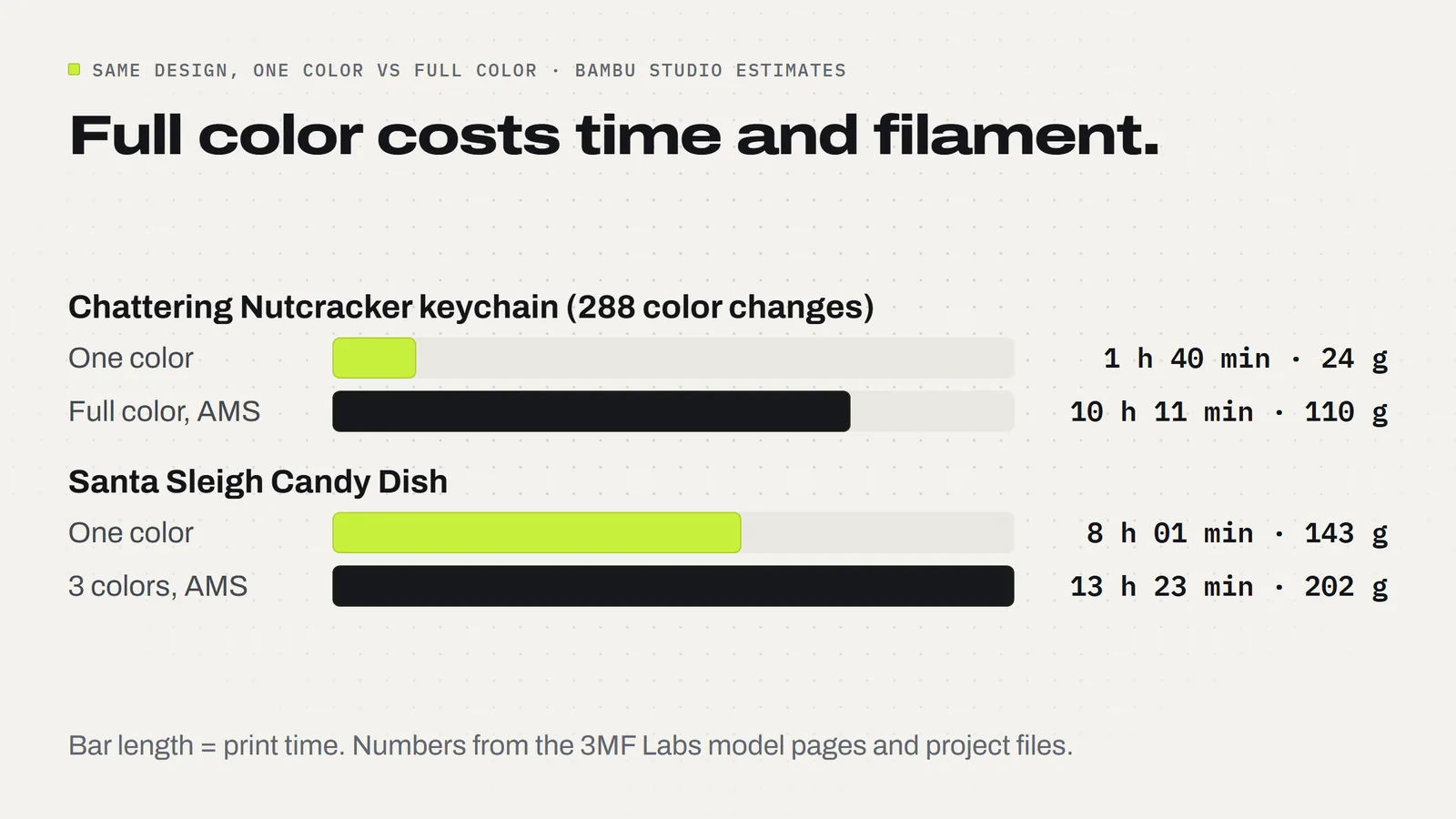
Our Chattering Nutcracker keychain is the clearest example we have. Its full-color project switches filament 288 times. In full color it takes about 10 hours 11 minutes and 110 g of filament. Printed in one color it takes 1 hour 40 minutes and 24 g. The keychain doesn't get bigger in full color; most of the difference is filament flushed out at all those color changes, plus the time spent doing it.
Bigger prints with fewer color changes suffer less. The Santa Sleigh Candy Dish goes from 8 h 01 min and 143 g in one color to 13 h 23 min and 202 g in three colors: about 67% more time, not six times as much.
Designs made for an AMS can still be efficient. The large Peppermint Snake prints in about 4 h 51 min with 55 g, and the project file shows where it goes: 32.7 g of white, 20.4 g of red and just 2.3 g of black for the eyes. Fewer colors and fewer switches keep the waste down. For the settings that cut it further, see the prime tower and purge waste guide.
AMS vs AMS lite: which one fits your printer?
For most people this is decided by the printer they already own, not by preference:
- You have an A1 or A1 mini: the AMS lite is the made-for-it option, with four colors. Bambu's store also lists the AMS 2 Pro and AMS HT as working with the A1 line through a hub accessory, so check the current compatibility notes before you buy.
- You have an enclosed Bambu printer: the AMS 2 Pro is the usual pick, and its drying feature helps with filaments that soak up moisture.
- You print mostly one color: you may not need any of them. A single spool and the occasional pause covers a surprising share of designs.
Prices and compatibility change with each new printer, so we link Bambu's own pages below rather than repeating numbers that will be out of date by spring.
Is an AMS worth it if you print to sell?
It depends on what you sell. A few honest rules of thumb:
- Flat, layered things (ornaments, earrings, lantern panels, signs) need no AMS. A pause gives you the same result, and selling them in volume is mostly about plate time.
- Small full-color figures and keychains do need one, and they're slow. Ten hours for one full-color nutcracker versus under two for a one-color one changes how many you can make before a fair. One approach that works: keep one or two full-color pieces on the table as eye-catchers and fill the rest with one-color versions in a few cheerful filaments.
- Gifts for family are where an AMS shines. You're printing one, overnight, and the time doesn't matter much.
When you work out prices, count the extra filament and machine time of full color. Our pricing guide shows the formula, and the craft fair guide covers which items earn their plate time.
What do our downloads include for one-color printers?
Every design comes with the 3MF project, set up in Bambu Studio with the colors and plates already arranged, plus STL files of every part. If you don't have an AMS, the STLs print in one color on any printer and any slicer. Where a design can be colored with pauses instead, the model page and the START_HERE guide say so and tell you which layers to swap at. Some designs, like the Christmas Earrings, also include a "By-Layer" version that swaps colors between layers instead of within them.
Whichever way you print, the license lets you sell the physical prints you make, with no limit and no royalty. Not sure whether to use the 3MF or the STL? STL vs 3MF covers it, and the FAQ answers the common setup questions. When you're ready, browse the designs and look for the line on each page that says whether full color needs an AMS.
Designs from this guide
 $3.79
3ML-026 · Fidget keychain
Chattering Nutcracker
A nutcracker soldier keychain whose chin swings open and clacks shut: tall black hat with a red plume, curled white hair, a big black mustache and a little white beard. STL + 3MF · 12 MB View model $3.79
3ML-013 · Flexi snake
Peppermint Snake
A wiggly snake made of peppermint candies, with black eyes and a red tongue. It prints in one piece, already joined, so there's nothing to put together. STL + 3MF · 23 MB View model $3.79
3ML-032 · Candy dish
Santa Sleigh Candy Dish
Santa's sleigh as a candy dish: a deep red tub with raised swirls, a snowy ivory rim and curled gold runners, printed in one piece. STL + 3MF · 5.1 MB View model $3.79
3ML-028 · Earring collection
Christmas Earrings
Four pairs of Christmas earrings: gingerbread men, candy canes, snowflakes and Christmas trees. STL + 3MF · 4.0 MB View model $3.79
3ML-017 · Candy bowl
Cornucopia Candy Bowl
A woven-look cornucopia horn that holds wrapped candy, with a curled tail and a harvest cluster that hooks over the rim. STL + 3MF · 12 MB View model $3.79
3ML-014 · Lantern panels
Harvest Lantern Panels
Four light-up Thanksgiving scenes for our Modular Lantern: a pumpkin patch under the harvest moon, a turkey, falling leaves and acorns. STL + 3MF · 3.7 MB View modelQuestions
What is an AMS on a 3D printer?
AMS stands for Automatic Material System, Bambu Lab's unit that holds several spools, usually four, and feeds them into the printer, switching colors by itself during a print. Other printer brands sell similar multi-spool systems under their own names.
Can you 3D print multiple colors without an AMS?
Yes, when each color has its own layers. Add a pause in your slicer at the first layer of the new color; when the printer stops, swap the spool and resume. Flat ornaments, earrings, signs and lantern panels usually work this way. Colors that sit side by side in the same layer need an AMS.
How do I add a pause in Bambu Studio?
Slice the plate, then in the preview drag the layer slider to the first layer of the new color, right-click it and add a pause. Repeat for each color. When the printer stops, unload the old filament, load the new one, let it purge and resume the print.
What is the difference between the AMS and the AMS lite?
The AMS lite is a four-spool open unit made for Bambu's A1 and A1 mini printers. The AMS 2 Pro is an enclosed four-spool unit that can also dry filament and works across Bambu's printers, with an adapter or hub on some models. Check Bambu's compatibility notes for your printer.
Why does full color take so much longer?
Every color change means the printer flushes the old color out of the nozzle before printing the new one. Small, detailed prints change color hundreds of times. Our Chattering Nutcracker switches filament 288 times and goes from 1 h 40 min and 24 g in one color to 10 h 11 min and 110 g in full color.
Is an AMS worth it for selling 3D prints?
For flat, layered items it isn't needed: a pause gives the same result. For full-color figures and keychains it is, but they are slow, so a sensible plan is a few full-color pieces as eye-catchers and the rest in one color. Count the extra filament and machine time in your price.
Can I print an AMS design on a single-color printer?
Yes, in one color. Every 3MF Labs download includes STL files that print in one color on any printer and slicer. Where a design can be colored with pauses instead, the model page and START_HERE guide list the layers to swap at.
How can I tell if a model needs an AMS?
Read the model page first; good designers say so. If it doesn't, open the file in your slicer and move the layer slider slowly through the preview. If two colors ever appear on the same layer, that part needs an AMS, or print it in one color.
Sources
Filed under Printing and slicing